AI Photo Editor
Upload your photos and describe the edit in a prompt. Keep the face, product, or room, then download the result.
- Switch edit models
- Retouch · Hair · Cleanup · Relight
- 1:1 · 16:9 · 9:16
- PNG · From 1 credit
Use AI Photo Editor
AI Photo Editor examples
Keep-and-change demos for hair, wardrobe, lighting, rooms, costumes, and product images. Each prompt names what stays and the requested change.
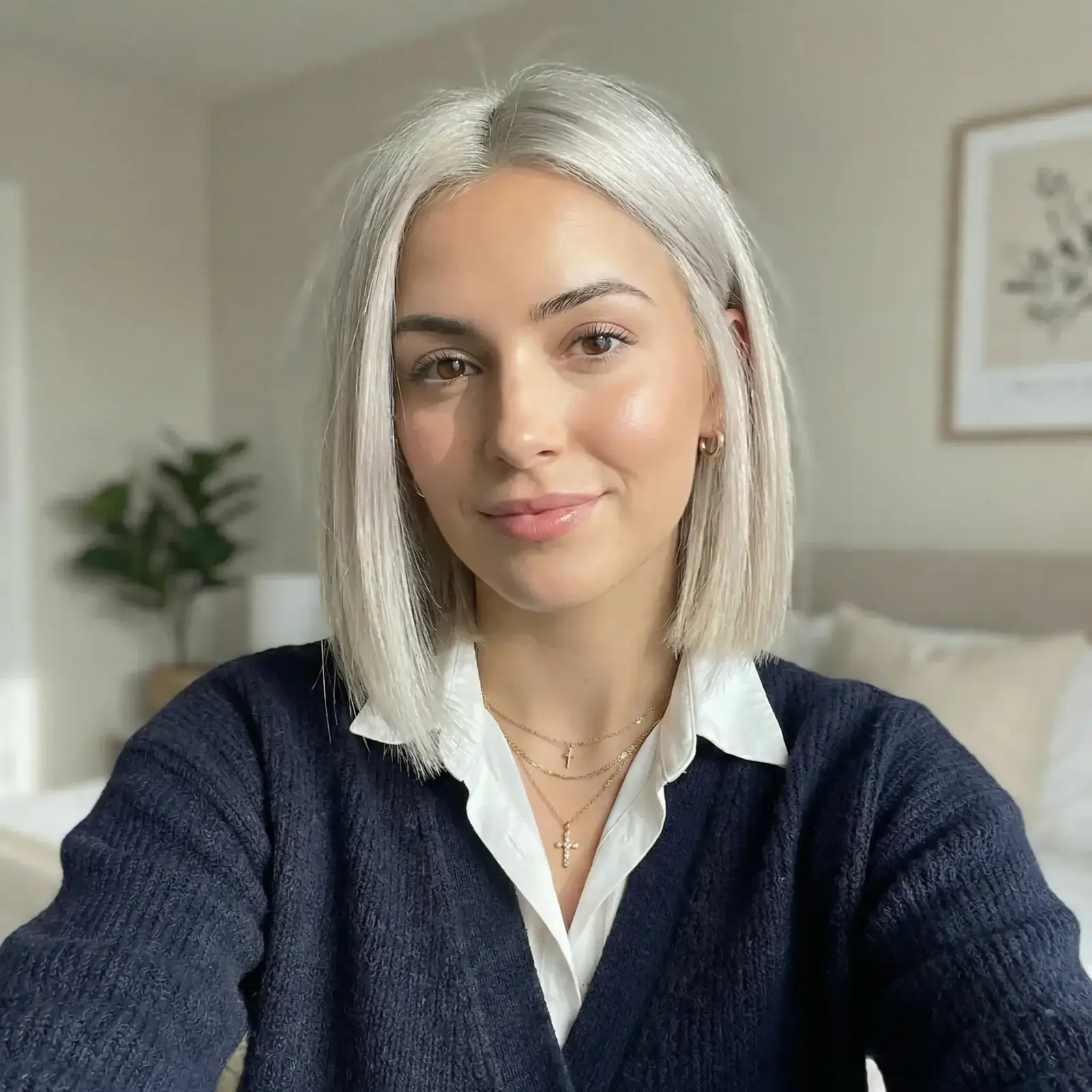
Dark waves to a platinum bob
Prompt
Keep the same woman, face, navy cardigan, white collar, gold cross necklaces, hoop earring, and bedroom. Change only the dark wavy hair to a straight platinum blonde bob. Do not change identity or clothes.
AI Photo Editor use cases
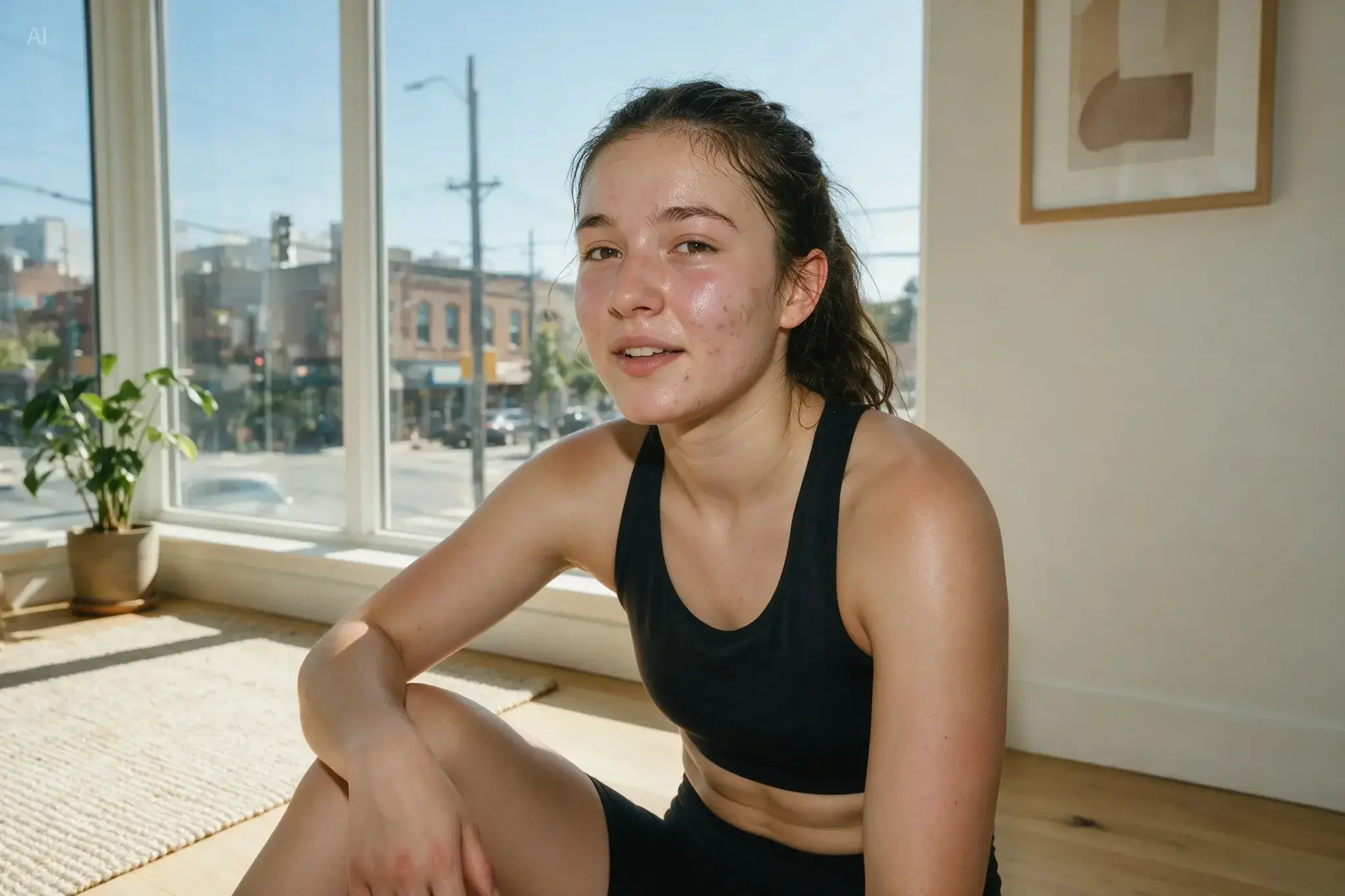
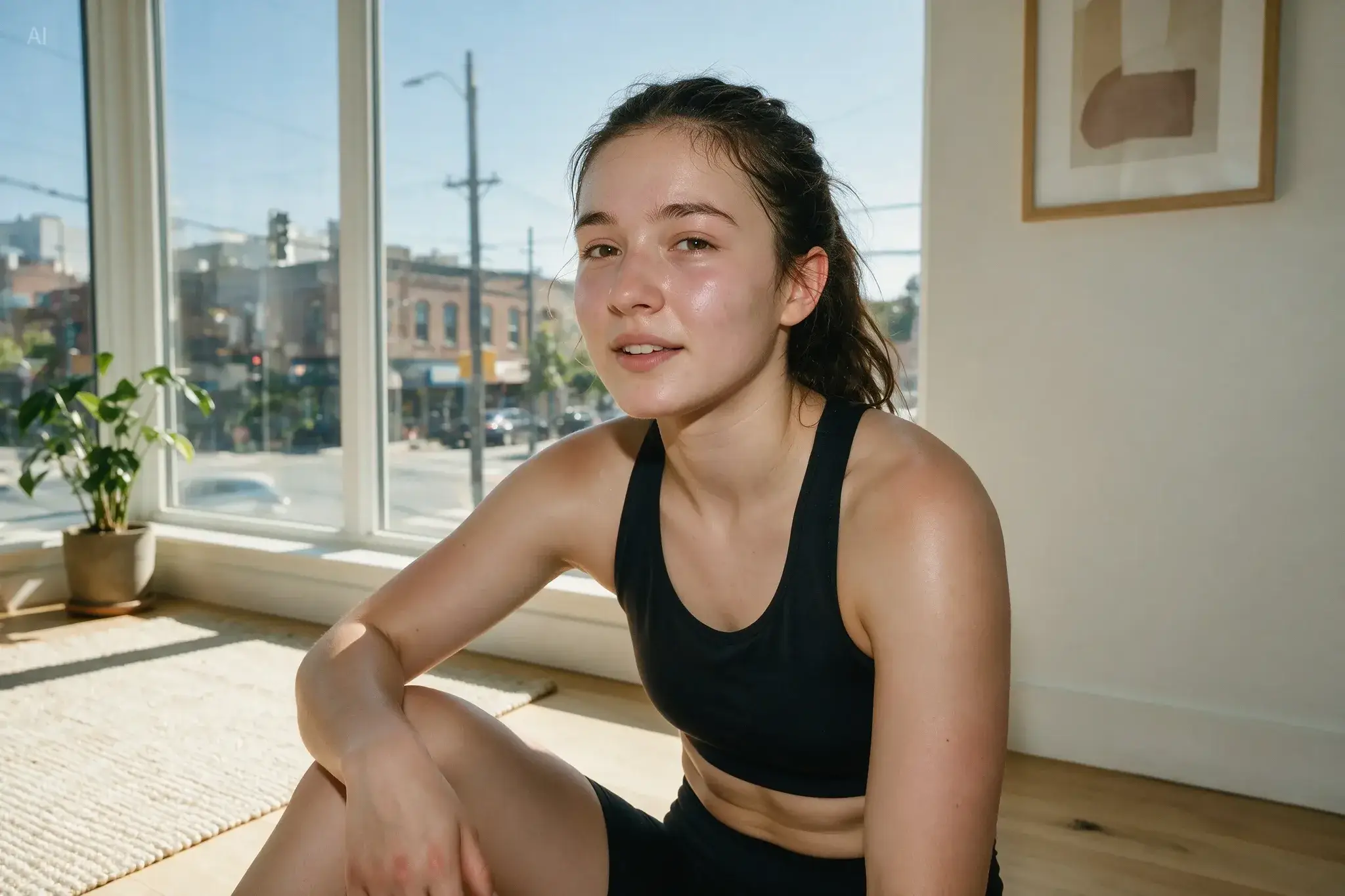
Soften skin, keep the person
Reduce shine and blemishes while identity, pose, and the room stay put.
Change the hair, keep the faces
Pull loose hair into a sleek bun while the people, polos, and court stay put.
Open one object, keep the room
Unfold the desk and chair without changing the wall, floor, or window.
What AI Photo Editor can do
Retouch a portrait in place
Soften blemishes, reduce shine, and tidy small marks. The face, pose, and room stay in the photo.
Replace hair, clothes, or one object
Change a hairstyle, swap an outfit, or remove one item. Type the edit; the rest of the frame stays put.
Relight, clean up, or update a product
Warm a sky, open a folded desk, or recolor a listing label. The street, room, or tin stays the same shot.
AI Photo Editor models


How to edit a photo with AI
1. Upload your photos
Drop in portraits, product images, or rooms you own or are authorized to edit. One image starts a run; the selected model sets how many references you can add.
2. Describe the edit
Type what should change and what must stay—face, product, or room. Example: keep the face, change only the dark wavy hair to a platinum bob.
3. Generate and download
Confirm the credit quote, generate, inspect the result, then download or run another pass on the same image.
AI Photo Editor Pricing

Explore more AI tools
Restyle the same photos, cut out the subject, or sharpen the result.
AI Photo Editor FAQs
What is an AI photo editor?
AI Photo Editor starts from photos you already own and keeps the subject while you change one thing you ask—cleanup, lighting, hair, clothes, or a single object. It is not a layers-and-sliders editor, not text-to-image from a blank canvas, and not Image to Video. MixVio quotes credits before you run.
How do I edit a photo with AI?
Three steps in the generator on this page. 1) Upload your photos: drop in portraits, product images, or rooms you own or are authorized to edit. Generate stays disabled until at least one photo is attached. 2) Describe the edit: type what should change and what must stay—face, product, or room. Example: keep the face, change only the dark wavy hair to a platinum bob. 3) Generate and download: confirm the credit quote, generate, inspect the result, then download or run another pass.
Is MixVio AI Photo Editor free?
An account is required. Eligible Google-connected accounts receive 40 welcome credits once, valid for 7 days. AI Photo Editor is available on the Free plan when your balance covers the quote. GPT Image 2.5 starts at 1 credit for Low at 1K. Free image-edit delivery is watermarked and capped at 1K; paid plans unlock higher quality and resolution. Failed runs cost no credits.
How do credits work?
Credits are quoted from the selected model, quality, and resolution before you generate. GPT Image 2.5 starts at 1 credit for Low at 1K. The default 2K Medium pass is 2 credits; other models on this page quote separately. Failed or cancelled tasks release the reservation.
What kinds of edits can I make?
Retouch a portrait, change hair or clothes, remove one object, relight a room or product, clean a desk, or update a label. Name the face, product, or room that must stay. This page does not cut a transparent background, upscale pixels, or restyle the whole scene—use Background Remover, Image Upscaler, or Image to Image for those jobs.
Upload your photos.
Edit only what you ask.
Upload your photos, describe the edit, confirm credits, and download the result.
Start editing photos