MiniMax H3 AI Video Generator (Hailuo 3.0)
Create 4–15-second videos with MiniMax H3, also known as Hailuo 3.0, from text, a first and optional last frame, or image, video, and audio references. Choose 768p or 2K output with native generated audio, and see the exact credit estimate before you generate.
- From 12 credits
- 768p or 2K
- Text, frames, or references
- MiniMax · MiniMax H3 docs ↗
Create with MiniMax H3
MiniMax H3 Video Examples
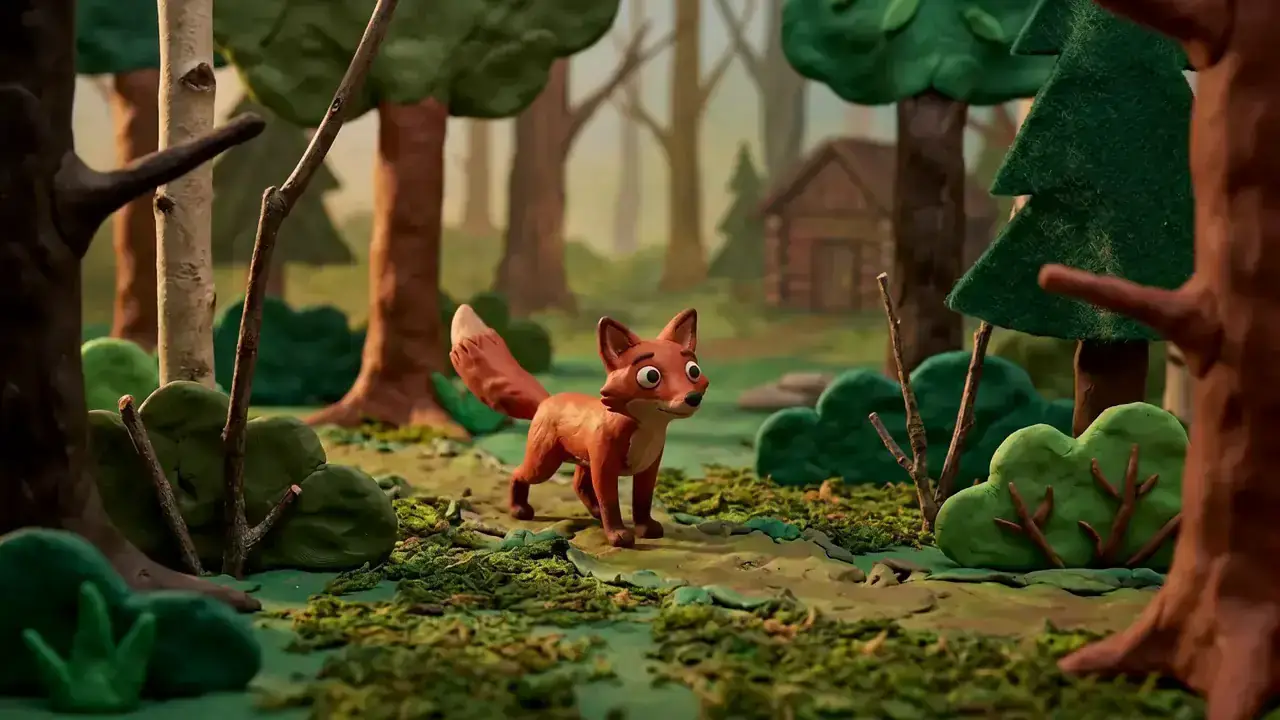
First and last frame
Prompt
Claymation. Start on @Image1 and finish on @Image2. A fox sprints to the edge of a cliff and launches without hesitation, making a dramatic heroic leap in slow motion over an immense lava canyon. Midair, the camera races beneath the fox’s belly in a bold dynamic move, revealing the terrifying depth of the chasm and the fully extended motion of its clay body.
Key Features of MiniMax H3
Multimodal reference
Combine up to 9 images, 3 videos, and 3 audio clips—12 files total. Tag each file so it locks identity, motion, camera, or voice in one take.

How to Use MiniMax H3
1. Start from text, frames, or references
Use text-to-video for a new scene, add an owned first frame with an optional end frame for a controlled transition, or switch to multimodal mode for up to 9 images, 3 videos, and 3 audio clips—12 files total.
2. Direct motion, camera, and sound
Describe subject, action, camera movement, dialogue, ambience, and timing. In multimodal mode, use the composer’s tags so each file stays assigned. To edit an owned clip, name one change and what must stay the same.
3. Generate, review, then iterate
Select 4–15 seconds and 768p or 2K, confirm the complete variable credit estimate, then generate. Review identity, readable text, motion continuity, dialogue, and lip sync before publishing or iterating.
MiniMax H3 Pricing
Compare MiniMax H3How MiniMax H3 compares to other models
MiniMax H3
This modelMultimodal reference, first/last frames, and instruction-led edits
4–15s12–128 credits
Fast 5–15s drafts with first/last frames or a 9/3/3 reference pack
5–15s18–321 credits
4–30s one-takes, packs up to 50 files, and clay-render blocking
4–30s38–1320 credits
MiniMax H3 FAQs
What is MiniMax H3 (Hailuo 3.0)?
MiniMax H3, also known as Hailuo 3.0, is MiniMax’s general-purpose multimodal video model. On MixVio it creates 4–15-second videos from text, a first frame and optional last frame, or image, video, and audio references. MiniMax H3 announcement ↗
Is MiniMax H3 the same as Hailuo 3.0?
Yes. MiniMax H3 is the official name; Hailuo 3, Hailuo 3.0, and Hailuo H3 all refer to the same MiniMax video model. MixVio lists it as MiniMax H3 (Hailuo 3.0).
What inputs and modes does MixVio support?
Use text-to-video for a new scene, first-frame image-to-video with an optional last frame, or multimodal reference-to-video for mixed files. First/end-frame mode and multimodal mode are mutually exclusive. In multimodal mode, mention each file with @ImageN, @VideoN, or @AudioN so roles stay assigned. Prompts can be up to 7,000 characters.
How many references can I add?
Up to 9 images (≤30 MB each), 3 videos (≤50 MB each), and 3 audio clips (≤15 MB each), with no more than 12 files total. Still images need 256–5,760 px on each side and a 2:5–5:2 crop; oversized photos are fitted automatically. Reference videos also use 256–5,760 px per side—not a 480p–720p short-edge rule. Reference video and audio may total up to 15 seconds each; audio cannot be the only reference type.
Does MiniMax H3 generate native audio?
Yes. Every MiniMax H3 generation returns video with native stereo audio in the same pass. Describe dialogue, ambience, sound effects, or music in the brief. A reference recording can guide voice or atmosphere when it is paired with an image or video. Review speech, mix, and lip sync before publishing.
Direct text, frames, and references with MiniMax H3.
Private. Variable cost shown first.
Start from text, frames, or an owned reference pack, then generate 768p or 2K video with native audio—MiniMax H3 selected.
Create with MiniMax H3 ↑