MOSS-Image AI Image Generator
Write English or Chinese into the image, place text and objects with a JSON layout, and follow a long prompt in illustrated or photographic styles at up to 2K.
- Up to 2K
- English and Chinese text
- Text to image
- OpenMOSS · MOSS-Image docs ↗
Create with MOSS-Image
Made with MOSS-Image
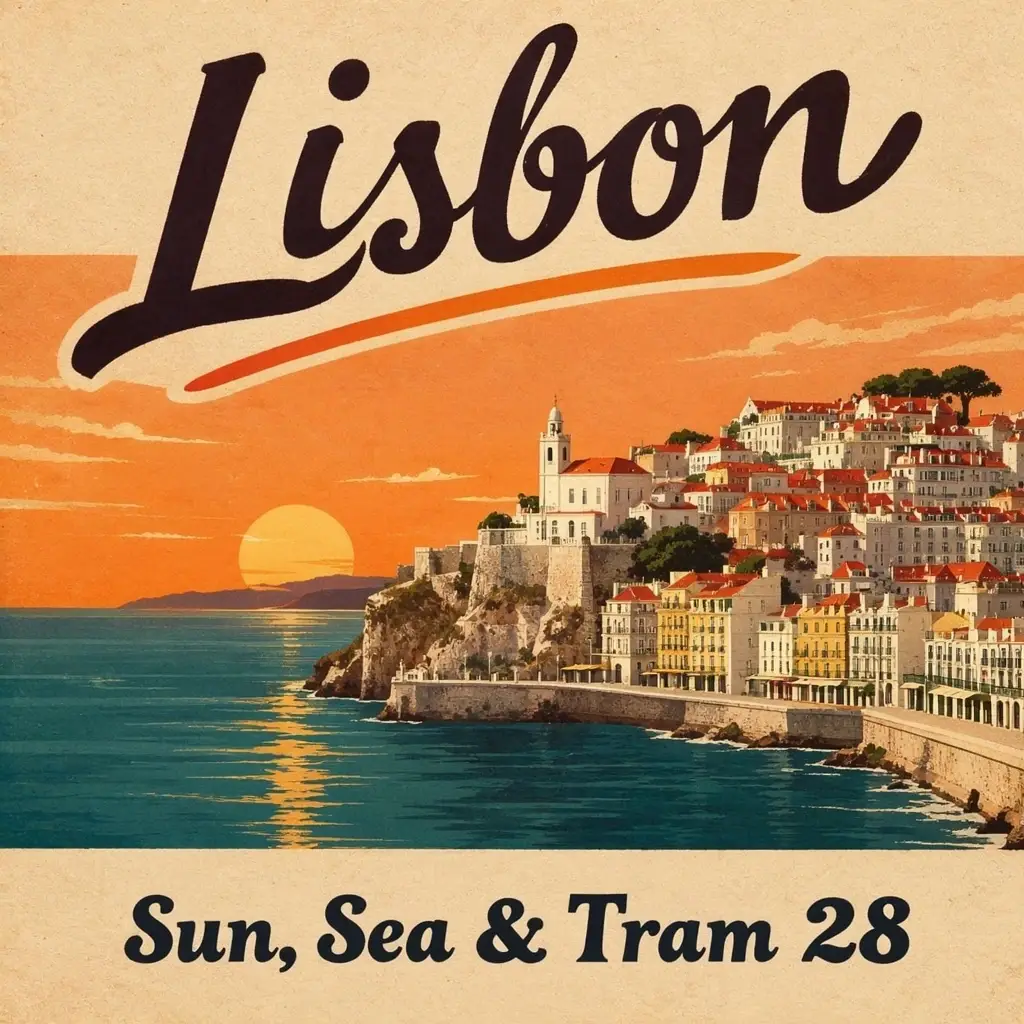
Lisbon travel poster
Prompt
A vintage travel poster of a seaside town at sunset, bold hand-lettered title "Lisbon" at the top and the line "Sun, Sea & Tram 28" at the bottom, flat colours, textured paper, balanced layout.
Key Features of MOSS-Image
English and Chinese text
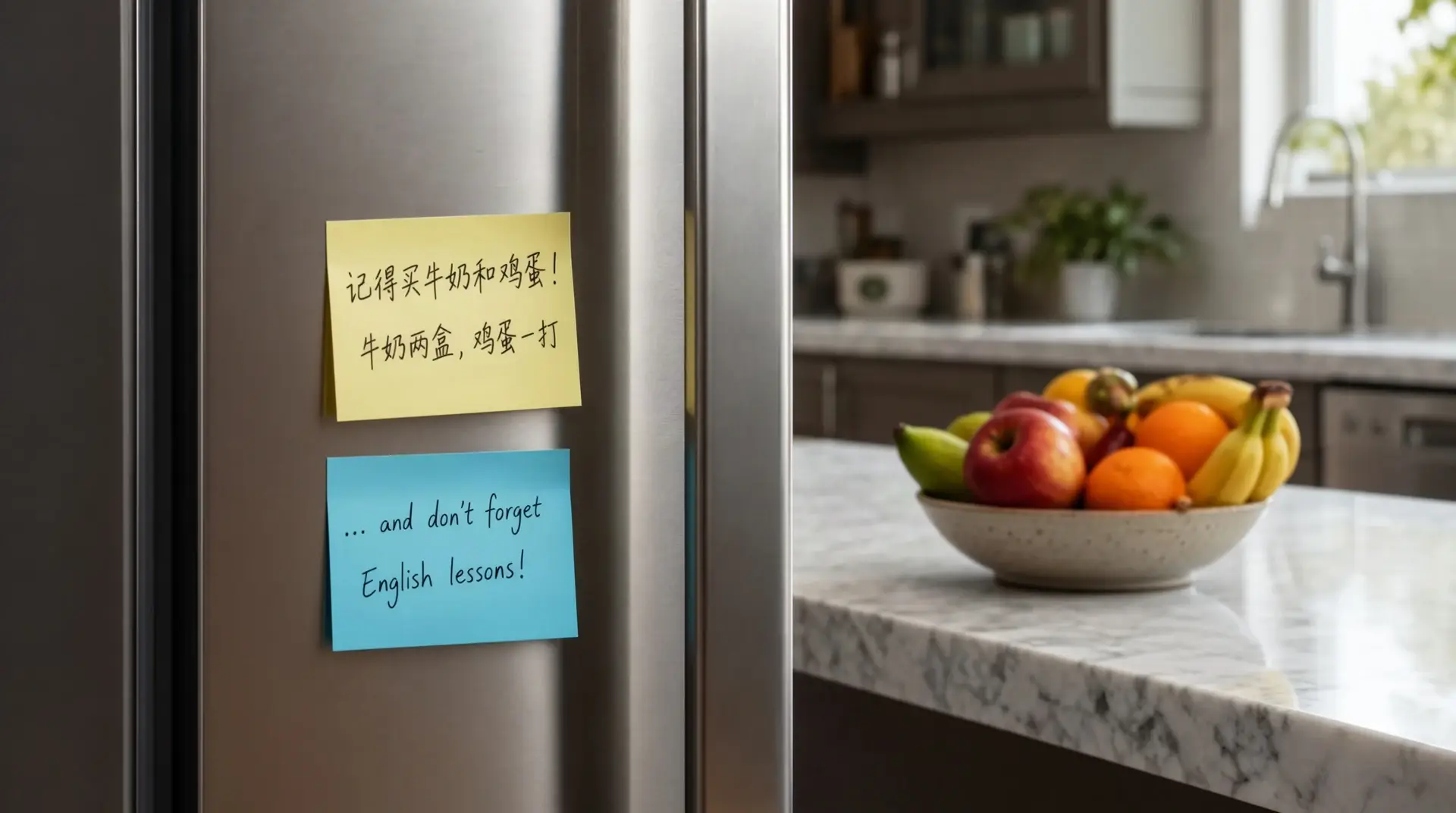
Put both scripts in one frame. This fridge has a yellow Chinese grocery note and a blue English lesson note. MixVio returns a PNG at 1K or 2K.
How to Use MOSS-Image
1. Start from a text brief
Open MOSS-Image with a text brief, or prefill a Key Feature or Example. Nothing runs until you generate.
2. Write the scene, or paste a JSON layout
For placed text and objects, paste a JSON layout with an items array. For a scene, write English or Chinese in the prompt. This route does not take a reference image.
3. Choose ratio and resolution, then generate
Choose a ratio and 1K or 2K, set 1 to 4 images, confirm the credit estimate, then generate. Review the text before publishing. MixVio does not expose a quality menu, 4K, a seed, or a negative prompt.
MOSS-Image Pricing
Compare MOSS-ImageHow MOSS-Image compares to other models
MOSS-Image
This modelEnglish and Chinese text, JSON layouts, and long prompts at 1K or 2K
1K–2K PNG2–14 credits per image
Dense layouts, readable multilingual text, and up to three photo refs
1K–2K PNG3–6 credits per output
Keep-and-change edits, reference fidelity, and Flare or Sunburst
1K–4K PNG1–8 credits per output
MOSS-Image FAQs
What is MOSS-Image?
MOSS-Image is OpenMOSS’s text-to-image model. On MixVio you write a prompt, optionally as a JSON layout, and generate a PNG at 1K or 2K. It is for in-image English and Chinese text, placed layouts, and long prompts. It does not edit a photo or take a reference image.
What is MOSS-Image best for?
Use it when the words in the image matter: bilingual notes, posters, exam pages, and JSON-placed objects. The gallery includes illustrated and photographic styles. It does not replace an edit model when you need to change an existing photo.
Can I upload a reference or edit an image?
No. This route is text to image only. Switching to it clears attached images. Use Qwen Image 3, GPT Image 2.5, or FLUX 3 Image when the job starts from a photo.
Which sizes and how many images can I generate?
Choose 1K or 2K and 1:1, 4:3, 3:4, 3:2, 2:3, 16:9, or 9:16. One request can return 1 to 4 PNGs. 4K, 21:9, and the 512-pixel square preset are not available. Desktop opens at 1K and 1:1. Phone opens at 1K and 9:16.
How many credits does MOSS-Image use?
From 2 credits for a 1K 16:9 image to 14 credits for a 2K square image. The default 1K square image is 4 credits. The count multiplies when you ask for more than one image. Confirm the reservation before you generate. Failed runs cost no credits.
Create images with MOSS-Image.
Private. Credits shown first.
Write English or Chinese, paste a JSON layout, choose 1K or 2K, then generate with MOSS-Image selected.
Create with MOSS-Image ↑