GPT Image 2.5 AI Image Generator & Editor
Make posters, product stills, and portraits that keep the subject recognizable. Preserve reference subjects, make precise keep-and-change edits, and handle complex layouts at 1K–4K. Choose Flare or Sunburst; credits shown before you run.
- From 1 credit
- Flare or Sunburst
- Generate + edit
- OpenAI · GPT Image 2.5 docs ↗
Create with GPT Image 2.5
Made with GPT Image 2.5
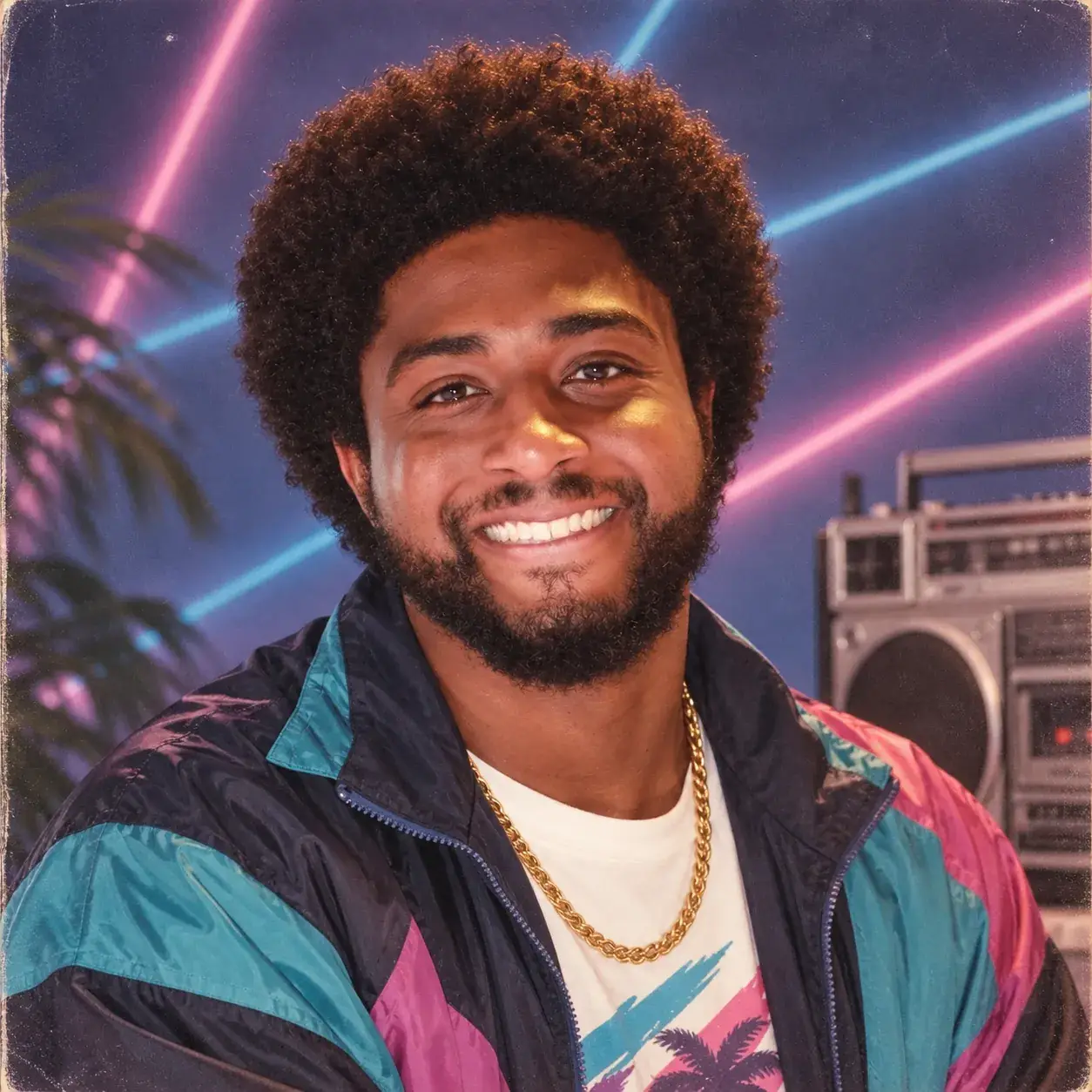
80s studio headshot
Prompt
Photoreal 1980s studio headshot of a smiling man with an afro and beard, teal navy and pink windbreaker, gold chain, neon laser backdrop, vintage boombox, palm leaves, vintage print grain, 1:1.
Key Features of GPT Image 2.5
Image fidelity from references
Keep the subject in an owned still recognizable while you restage costume, setting, or style. Distinctive features, lighting, and texture carry into the new composition.
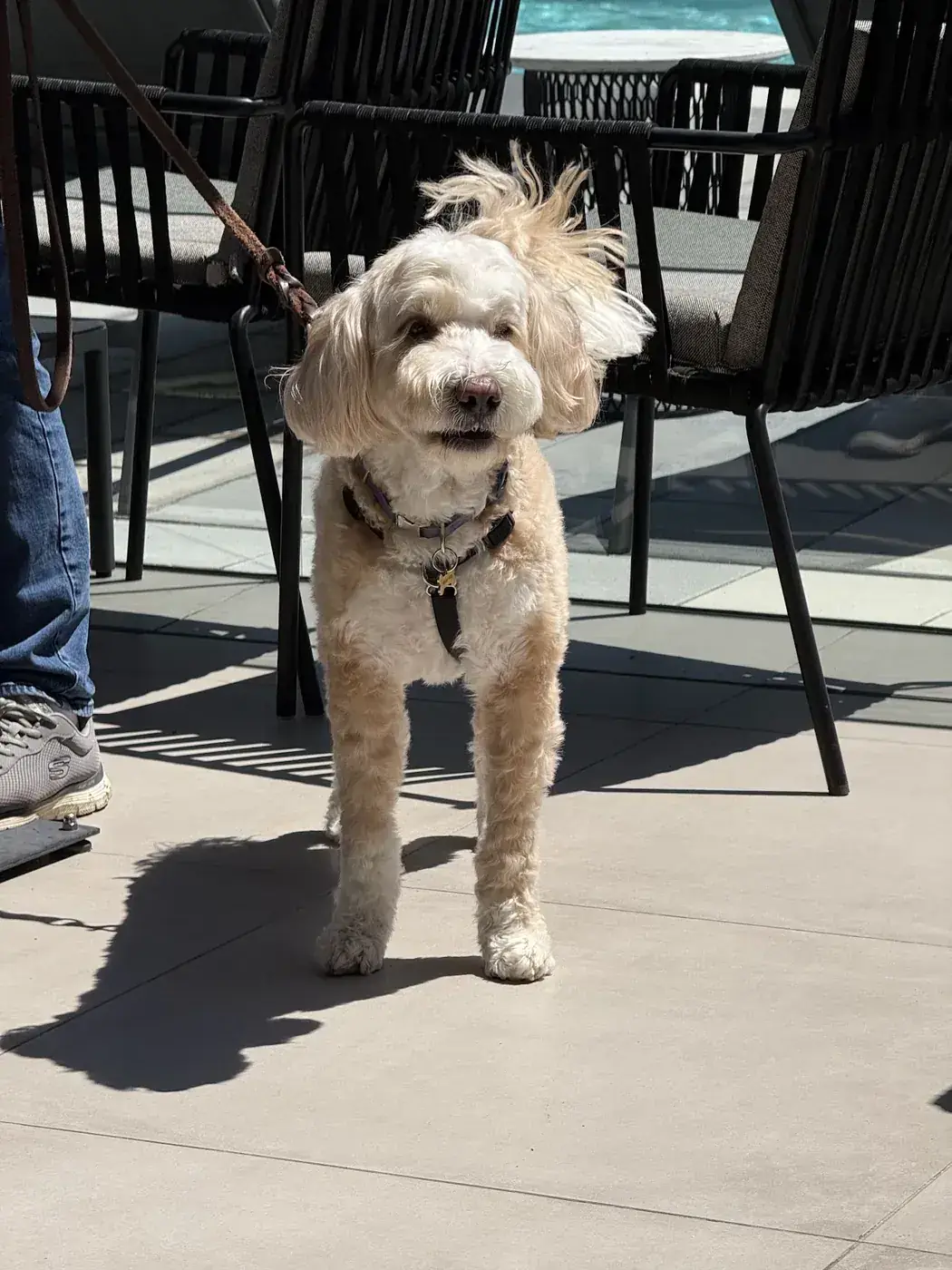 Before
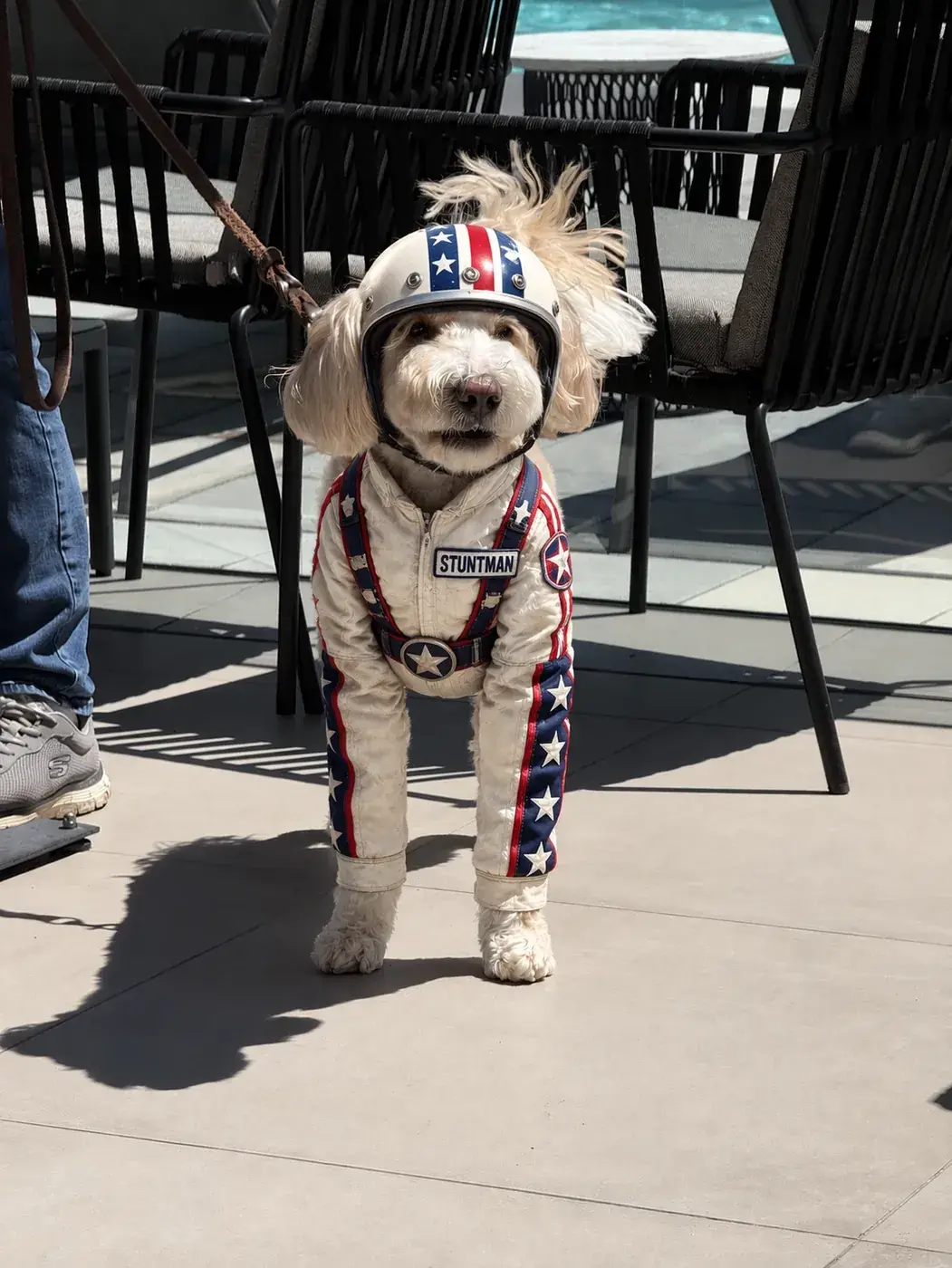 After
AfterHow to Use GPT Image 2.5
1. Start from text or references
Open GPT Image 2.5 with a text brief, or add one to 16 owned stills for the image-edit route. Prefill from a Key Feature or Example if you want—nothing runs until you generate. Generate stays disabled on edit until a reference is attached.
2. Name the change and what must stay
Write the scene, or the one edit plus the identity, layout, and details that must not change. For a follow-up pass, keep naming what already landed so the next change stays surgical.
3. Choose Flare or Sunburst, then generate
Select Flare or Sunburst, Low / Medium / High, 1K–4K, and a ratio. Confirm the credit estimate and generate. Review identity and readable text, then download or continue on image-edit for the next keep-and-change pass.
GPT Image 2.5 Pricing

Compare GPT Image 2.5How GPT Image 2.5 compares to other models
GPT Image 2.5
This modelKeep-and-change edits, reference fidelity, and Flare or Sunburst
1K–4K PNG1–8 credits per output
Strict prompts, premium edits, high-resolution finals
1K–4K PNG2–5 credits per output
Fast balanced generation and editing with strong general knowledge
1K–4K PNG3–4 credits per output
GPT Image 2.5 FAQs
What is GPT Image 2.5?
GPT Image 2.5 is OpenAI’s image generation and editing model. On MixVio you start from a text brief or up to 16 owned stills, then generate or edit privately with Flare or Sunburst at 1K, 2K, or 4K—credits shown before you run.
What is GPT Image 2.5 best for?
Use it when a reference subject must stay recognizable, when you need precise keep-and-change edits, or when a complex brief mixes layout, style, and readable in-image text. Choose Flare or Sunburst on this page; both share MixVio credits.
What can I make with GPT Image 2.5 on MixVio?
Campaign posters, product stills, packaging comps, and portraits or pet photos where the subject must stay recognizable. Start from text, or attach owned stills for a keep-and-change edit. MixVio shows the credit estimate before you generate.
Can I restage a person or pet from a reference photo?
Yes. Attach one to 16 owned stills, then name the costume, setting, or style change and the identity that must stay. MixVio uses the image-edit route. Unrequested details can still shift, so review before publishing.
What is the difference between Flare and Sunburst?
Both sit on the same MixVio credit table. Flare is the faster GPT Image 2.5 variant; Sunburst is the higher-fidelity pass. Switching the selector stays on this page. MixVio does not publish a latency benchmark for either variant.
Create keep-and-change stills with GPT Image 2.5.
Private. Credits shown first.
Start from text or up to 16 owned stills, name the change and what must stay, then generate with GPT Image 2.5 selected.
Create with GPT Image 2.5 ↑