Nano Banana 2 AI Image Generator & Editor

Create prompt-faithful stills and precise edits with readable in-image text and subject consistency—from text or an owned reference. Select 1K–4K, see exact credits first, keep outputs private. Flash-speed default; choose Pro for maximum polish.

  • Google · source ↗
  • Generate + edit
  • Up to 4K
  • From 14 credits

Create with Nano Banana 2

Made with Nano Banana 2
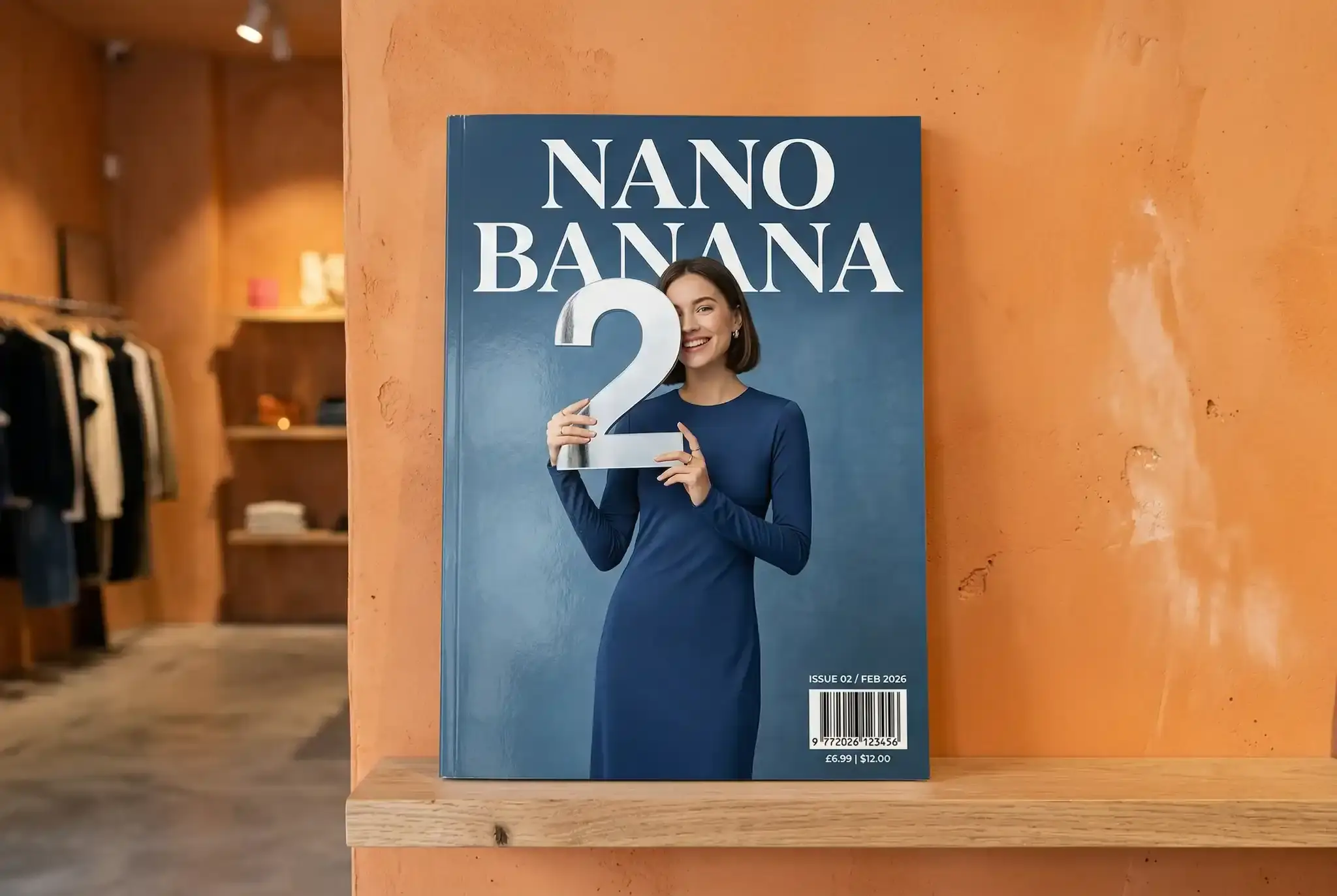
See localization boards, readable-text posters, knowledge explainers, manga, and precision edits made with Nano Banana 2. Use Try to prefill—nothing submits or charges until you generate.

Key Features of Nano Banana 2

World knowledge, multilingual text, precise edits, and subject consistency—each with a matching demo. Prefill any row; nothing runs until you generate.

World knowledge

Keep explainers, diagrams, and place-specific scenes concrete—so isometric layouts and labeled knowledge boards stay specific instead of generic stock art.
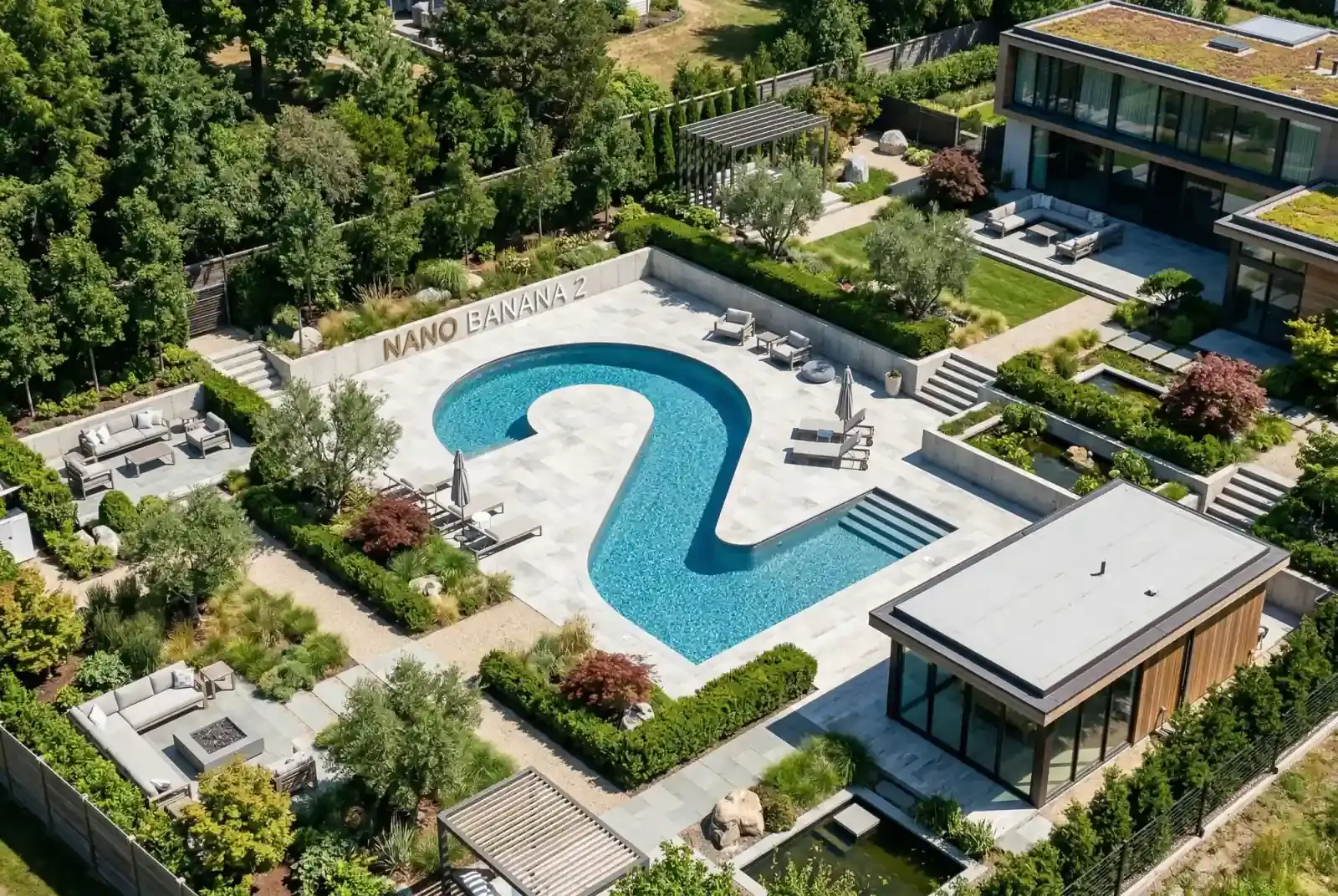
Official Google Nano Banana 2 demonstration of an isometric garden pool spelling Nano Banana 2

Text rendering

Keep magazine covers, recipes, and packaging labels readable—including multilingual and localized copy—so campaign layouts ship without repairing broken letters.

Topview Nano Banana 2 demonstration of an URBAN INSIGHT magazine cover with readable headlines
Topview Nano Banana 2 demonstration of a How to Make a Classic Hamburger recipe infographic

Precise edits

Start from an owned product or portrait reference and change only what you ask—background, lighting, or campaign chrome—while identity and label facts hold.

Topview Nano Banana 2 input: a Bone Strength Plus bottle on a wooden tableBefore
Topview Nano Banana 2 edit: the same bottle restaged into a medical campaign layoutAfter

Subject consistency

Keep multiple characters and props recognizable in one coherent scene—so cast sheets, product kits, and story worlds stay consistent across a Flash-speed generate-and-edit loop.

Official Google Nano Banana 2 multi-subject consistency farm demonstration
Topview Nano Banana 2 demonstration of a tactile DIY water-cycle infographic

How to Use Nano Banana 2

Three steps from brief to a reviewable image—then continue on image-edit when you need a fast restage.

  1. 1

    Start from text or references

    Open Nano Banana 2 with a text brief, or add up to 14 owned images (about 30 MB each) for reference-led create or the image-edit route. Prefill from a Key Feature or Example if you want—nothing runs until you generate.

  2. 2

    Spell out text, subjects, and settings

    Write exact headlines, labels, multilingual or localized copy, cast or product identities, materials, and any surgical changes in plain language. Point at specific uploads with @ImageN when needed. Set ratio—including ultra-wide 8:1—and 1K–4K resolution for the delivery you need.

  3. 3

    Generate, review, then edit

    Confirm the credit estimate and generate. Check readable text, identity, and layout, then download—or continue on image-edit to change only what you ask while the rest of the frame holds.

Nano Banana 2 Pricing

From 14 credits per image on the published route. Free is a watermarked preview; paid plans add monthly credits, with the exact quote shown before every run.

How Nano Banana 2 compares to other models

Attribute
This modelNano Banana 2
Best forFast balanced generation and editing with strong general knowledgeStrict prompts, premium edits, high-resolution finalsConsistency-heavy professional editing and typography
Text renderingStrongStrongExcellent
Image editingExcellentExcellentExcellent
Multi-image referencesStrongStrongStrong
PhotorealismStrongExcellentExcellent
SpeedExcellentMediumMedium
Max resolution1K–4K1K–4K1K–2K
Credits14–28 credits per output3–72 credits per output12–32 credits

Nano Banana 2 FAQs

What is Nano Banana 2?

Nano Banana 2 is Google DeepMind’s Gemini 3.1 Flash Image model for image generation and editing. On MixVio you can start from a text prompt or owned references, then generate or continue with a natural-language edit—credits shown before you run.

What is Nano Banana 2 best for?

Use it for fast balanced generate-and-edit loops: social and campaign stills, knowledge-grounded explainers, readable in-image text, product restages, and multi-subject scenes where Flash-level iteration speed matters as much as fidelity.

Can Nano Banana 2 render readable text and localize in-image copy?

Yes—text rendering and localization are core strengths. It handles magazine covers, packaging, recipes, and multilingual signage. Still review fine print, spelling, brand names, and dense body text before you publish.

How many reference images can I use?

Up to 14 owned images per run on MixVio (about 30 MB each). Use them for subject lock, product restages, or multi-reference scenes—every file must be yours or cleared for use.

Can I edit an existing image?

Yes. Upload up to fourteen owned images, then describe the change in plain language—for example restage a product, update on-image copy, or change wardrobe. MixVio routes to the Nano Banana 2 edit path. Mask painting is not exposed yet, and unrequested details can still shift, so review before publishing.

How do I keep characters or products consistent?

Attach clear owned references and name them in the prompt with @ImageN tags when you need the model to pull a specific subject, outfit, or product. Keep the same references across generate and edit loops, and re-check identity after each run.

Which resolutions and aspect ratios does MixVio support?

Text-to-image supports 1K, 2K, and 4K with auto plus common frames including 1:1, 4:3, 3:4, 4:5, 16:9, 9:16, and ultra-wide 8:1. Use 1K to explore, then raise resolution for finals. Editing supports selectable 1K–4K while you keep the source framing or pick a supported frame.

Does Nano Banana 2 use live Google Search on MixVio?

No. Live Google Search grounding is not enabled on MixVio’s Nano Banana 2 routes. Rely on your prompt, owned references, and the model’s trained knowledge—then fact-check any dates, prices, or brand claims before publishing.

How do I get better results?

Write exact headlines and labels, attach the references that must stay locked, set ratio and 1K–4K resolution up front, and prefer short edit loops that change only what you ask. Review readable text and identity before you download.

How many credits does Nano Banana 2 use?

From 14 credits per output; resolution and output count (up to four on text-to-image) update the total—14 at 1K, 21 at 2K, and 28 at 4K. MixVio shows the exact estimate before submission, and failed or canceled runs release the reservation automatically.

How does Nano Banana 2 compare with GPT Image 2 or Seedream 5.0 Pro?

Choose Nano Banana 2 for faster balanced generate-and-edit loops with strong general knowledge. Prefer GPT Image 2 for strict prompts, premium edits, and high-resolution finals, or Seedream 5.0 Pro for consistency-heavy professional editing and dense typography. Use the comparison table on this page for live Best for, grades, resolution, and credits.

Can I use Nano Banana 2 outputs commercially?

The route supports commercial workflows, subject to current Google and Provider terms and your rights to every prompt and reference image. Outputs are not guaranteed to be exclusive or cleared for trademarks or likenesses.

How are Nano Banana 2 images marked as AI-generated?

Nano Banana 2 images include SynthID watermarking from Google. Treat that mark as part of the delivery pipeline and follow current Google / Provider terms when you publish.

Are my prompts and outputs private on MixVio?

Yes. Prompts are routed server-side, and final media is archived privately to your workspace—not exposed in public URLs or client logs. Keep private prompts and asset IDs out of shared links.

How does Nano Banana 2 compare with Nano Banana Pro and 2 Lite?

Nano Banana 2 is the balanced generate-and-edit choice in the family, with selectable 1K, 2K, or 4K output from 14–28 credits per image. Nano Banana Pro targets detailed product visuals and typography at 26–51 credits, while Nano Banana 2 Lite is the low-latency draft route fixed at 1K for 7 credits. Start on Lite to explore, then re-run the brief here or on Pro for the final asset.

Create Flash-speed stills with Nano Banana 2.
Private. Credits shown first.

Start from text or up to 14 owned references—including ultra-wide 8:1 boards—for campaign stills, explainers, or product edits, with credits shown first. Then generate with Nano Banana 2 selected.

Create with Nano Banana 2

Your privacy choices

Choose whether MixVio can use optional analytics to improve the product and referral cookies to credit partners. We don’t sell or share personal information for targeted advertising. Learn more.