Vidu Q4 AI Video Generator
Create a 3–16 second video from one owned photo, or from up to 12 photo references with optional MP3 audio. Choose 540p through 4K. Native audio is included.
- Native audio
- 3–16s · up to 4K
- Photo or references
- Vidu · Vidu Q4 docs ↗
Create with Vidu Q4
Vidu Q4 Examples
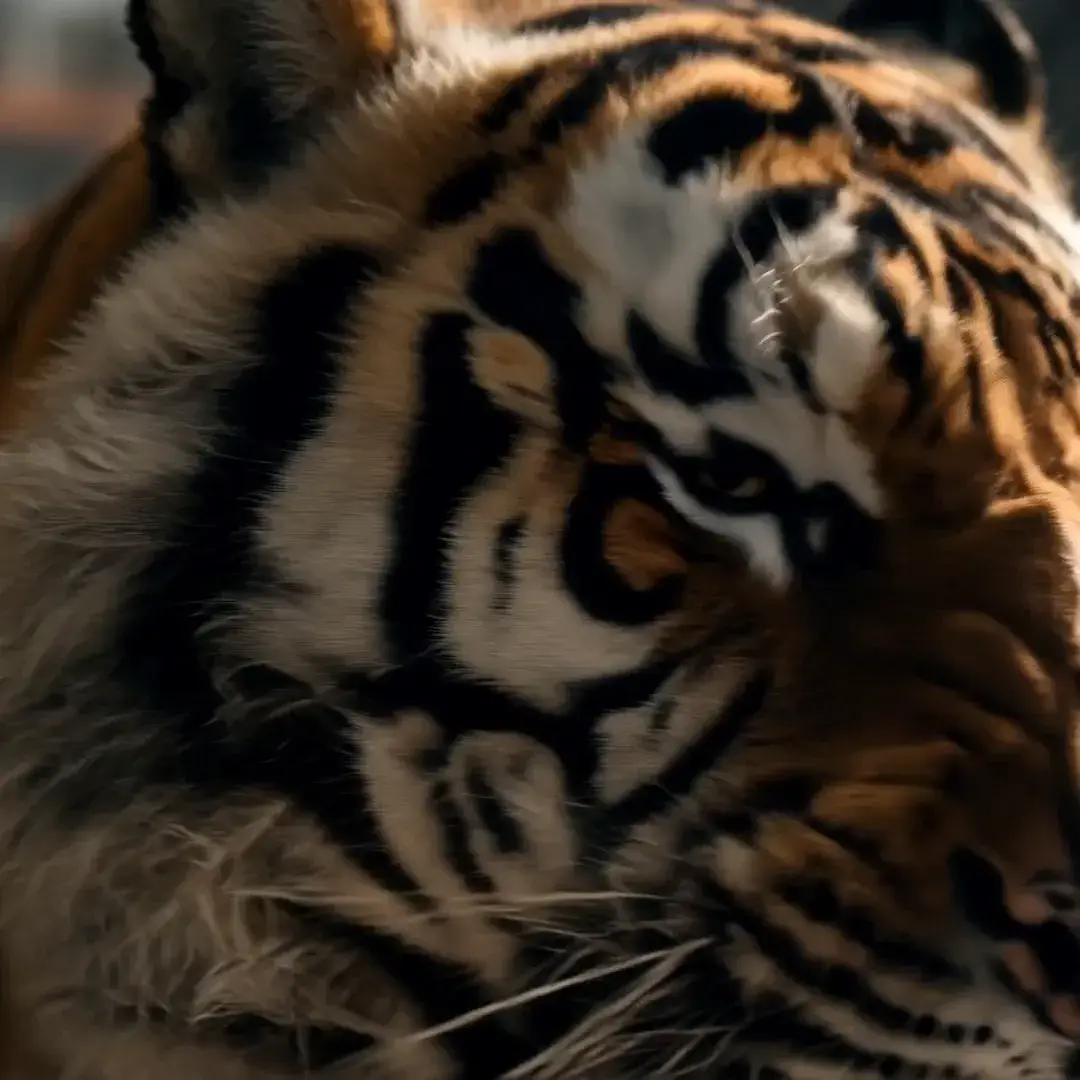
Factory tiger face
Prompt
Close-up of a tiger’s face. A bearded worker in a dirty white hard hat, ear defenders, and tan coveralls shouts while gripping a steel beam in a factory. Cut to a tiger paw, lightning over industrial towers, the tiger charging toward the camera beside the worker, and a player in a red football helmet.
Key Features of Vidu Q4
More references
Reference to video keeps characters, objects, and style together from owned photos. This library video shows the orange cat and the cream robot at the chessboard. MixVio accepts 1–12 photos and up to 3 MP3 files. The official product page lists 15 photos; this route follows the 12-photo limit. The video does not display twelve photos.

How to Use Vidu Q4
1. Start from one photo or a reference pack
Use image to video for exactly one owned start photo, or reference to video for 1–12 photos and up to 3 MP3 files. Prefill from a Key Feature or Example if you want—nothing runs until you generate.
2. Set length, resolution, and sound
Choose 3–16 seconds and 540p, 720p, 1080p, 2K, or 4K. Image to video follows the photo ratio and always includes audio. Reference to video also sets 16:9, 9:16, 4:3, 3:4, or 1:1, and Audio stays on unless you turn it off. Tag photos with @Image1 and audio with @Audio1.
3. Generate, review, then iterate
Confirm the credit estimate, then generate. Review identity, motion, and sound before publishing or iterating.
Vidu Q4 Pricing
Compare Vidu Q4How Vidu Q4 compares to other models
Vidu Q4
This model3–16s videos from one photo or up to 12 photo refs, 540p–4K
3–16s10–437 credits
4–30s one-takes, packs up to 50 files, and clay-render blocking
4–30s38–1320 credits
Fast 5–15s drafts with first/last frames or a 9/3/3 reference pack
5–15s18–321 credits
Vidu Q4 FAQs
What is Vidu Q4?
Vidu Q4 is Shengshu’s video model. On MixVio it creates 3–16 second videos from one start photo, or from 1–12 photo references with optional MP3 audio, at 540p, 720p, 1080p, 2K, or 4K. Vidu Q4 ↗
What inputs does MixVio support?
Image to video uses exactly one owned start photo and follows that photo’s ratio. Reference to video uses 1–12 owned photos, an aspect ratio, and up to 3 MP3 files. Prompts can be up to 5,000 characters. There is no text-to-video route.
How many photo references and audio files can I add?
Reference to video accepts 1–12 photos, each up to 50 MB, in JPEG, PNG, or WebP. Add 0–3 MP3 files. Each MP3 must be 3–12 seconds, and the three files together can run up to 36 seconds. MixVio keeps each audio upload at 15 MB. Tag photos with @Image1 and audio with @Audio1.
Which durations, resolutions, and ratios are supported?
Both routes support 3–16 seconds and 540p, 720p, 1080p, 2K, or 4K. The default is 5 seconds at 540p. Reference to video ratios are 16:9, 9:16, 4:3, 3:4, and 1:1. Image to video follows the start photo and does not take an aspect ratio.
Does Vidu Q4 include native audio?
Yes. Image to video always includes native audio, with no off switch. Reference to video includes native audio unless you turn Audio off. A reference MP3 can guide voice or sound; it does not change the credit quote.
Start a Vidu Q4 video.
Private. Credits shown first.
Start from one photo or up to 12 photo references, then generate with Vidu Q4 selected.
Create with Vidu Q4 ↑