Nano Banana 2.1 AI Image Generator & Editor
Create and edit photos with Nano Banana 2.1. Keep poster and product text readable, hold one subject across a scene, or change only the detail you name. Pick 1K, 2K, or 4K.
- Up to 14 photo refs
- 1K to 4K
- Text and edit
- Google · Nano Banana 2.1 docs ↗
Create with Nano Banana 2.1
Example prompts for Nano Banana 2.1
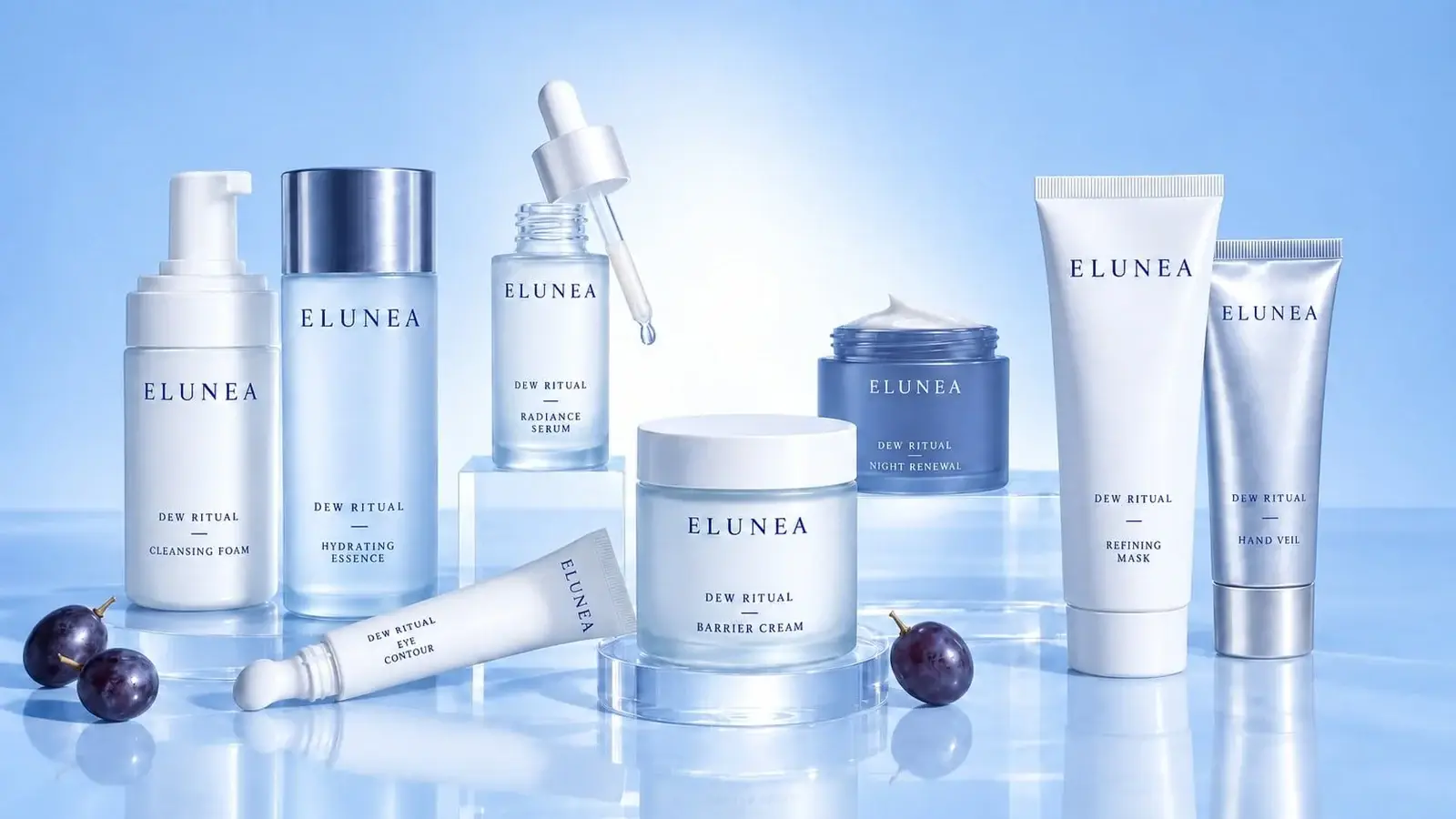
Skincare lineup
Prompt
Blue studio lineup, 16:9, labeled ELUNEA DEW RITUAL: cleansing foam, hydrating essence, radiance serum with a dropper, eye contour, barrier cream, night renewal, refining mask, and hand veil, with dark grapes on a reflective surface.
Key Features of Nano Banana 2.1
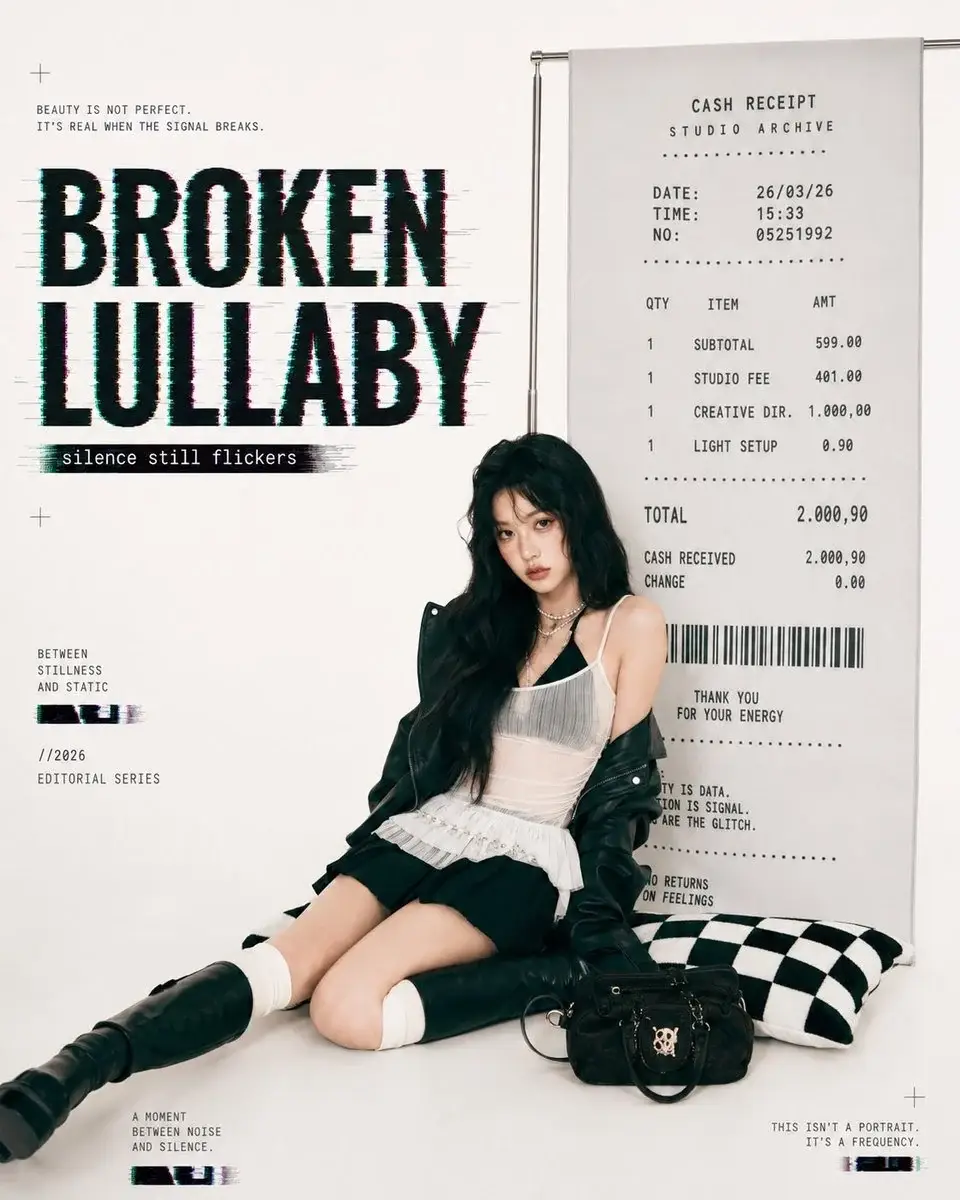
Readable poster text
Name the headline, the subline, and the receipt lines in one prompt. The poster keeps those words readable.
How to Use Nano Banana 2.1
1. Start from text or photos
Open Nano Banana 2.1 with a text prompt, or attach one to fourteen owned JPEG, PNG, or WebP photos for image edit. Prefill from a Key Feature or Example if you want. Nothing runs until you generate. Generate stays disabled on edit until a photo is attached.
2. Write the scene, or the one change
For a new photo, name the subject, the words that must be readable, and the light. For an edit, name the change and what must stay. Refer to uploads as image 1 and image 2 when you need a role. Official guidance of up to four characters and ten objects is a prompting hint, not a second upload slot.
3. Set ratio, resolution, and extras, then generate
Ratio defaults to Auto and includes wide and tall frames through 8:1, 1:8, 4:1, and 1:4. Resolution is 1K, 2K, or 4K. Thinking defaults to Medium and can be Minimal or High. Web search is off until you turn it on. Confirm the credit estimate and generate one PNG. Review the photo, then download or continue on image edit.
Nano Banana 2.1 Pricing
Compare Nano Banana 2.1How Nano Banana 2.1 compares to other models
Nano Banana 2.1
This modelReadable poster text, up to 14 photo refs, and 1K to 4K
1K–4K PNG6–13 credits per output
Fast balanced generation and editing with strong general knowledge
1K–4K PNG5–7 credits per output
Detailed product photos, readable type, and labeled diagrams
1K–4K PNG7–9 credits per output
Nano Banana 2.1 FAQs
What is Nano Banana 2.1 on MixVio?
Nano Banana 2.1 is Google’s image model for creating a photo from text or editing owned photos. MixVio keeps it as its own page, separate from Nano Banana 2. Each run returns one PNG.
Which resolutions and ratios can I use?
Choose 1K, 2K, or 4K. 0.5K is not available. Ratio defaults to Auto and includes 21:9, 16:9, 3:2, 4:3, 5:4, 1:1, 4:5, 3:4, 2:3, 9:16, 4:1, 1:4, 8:1, and 1:8. 9:21 is not offered.
How many reference photos can I attach?
Image edit accepts 1 to 14 JPEG, PNG, or WebP photos. Text to image does not take references. “Up to four characters and ten objects” is prompting guidance, not two separate upload limits. Video, audio, and PDF inputs are not exposed.
What do Thinking and Web search change?
Thinking is Minimal, Medium, or High. Medium is the default and is sent on every request. Thinking is not a quality menu. Web search is off until you turn it on. Medium and Minimal stay on the resolution price. High thinking alone stays inside the same credit ceil as the resolution. Web search moves the quote to 7 credits at 1K, 10 at 2K, and 13 at 4K. 4K with web search and high thinking is 13 credits.
How many credits does Nano Banana 2.1 use?
A default 1K image is 6 credits, 2K is 9, and 4K is 12. With web search those become 7, 10, and 13. The maximum on MixVio is 13 credits for 4K with web search and high thinking. Generate and edit share that rate. Confirm the estimate before you generate. Failed runs cost no credits.
Create and edit photos with Nano Banana 2.1.
Private. Credits shown first.
Start from a prompt or up to 14 owned photos, choose a ratio and 1K to 4K, then generate with Nano Banana 2.1 selected.
Create with Nano Banana 2.1 ↑