Kling 4.0 AI Video Generator
Create a 3–30 second video from text, one owned photo, or up to 10 photos and 5 videos. Choose 720p or 1080p. Native stereo stays on.
- Native stereo
- 3–30s · 720p–1080p
- Text, photo, or refs
- Kuaishou · Kling 4.0 docs ↗
Create with Kling 4.0
Kling 4.0 Examples
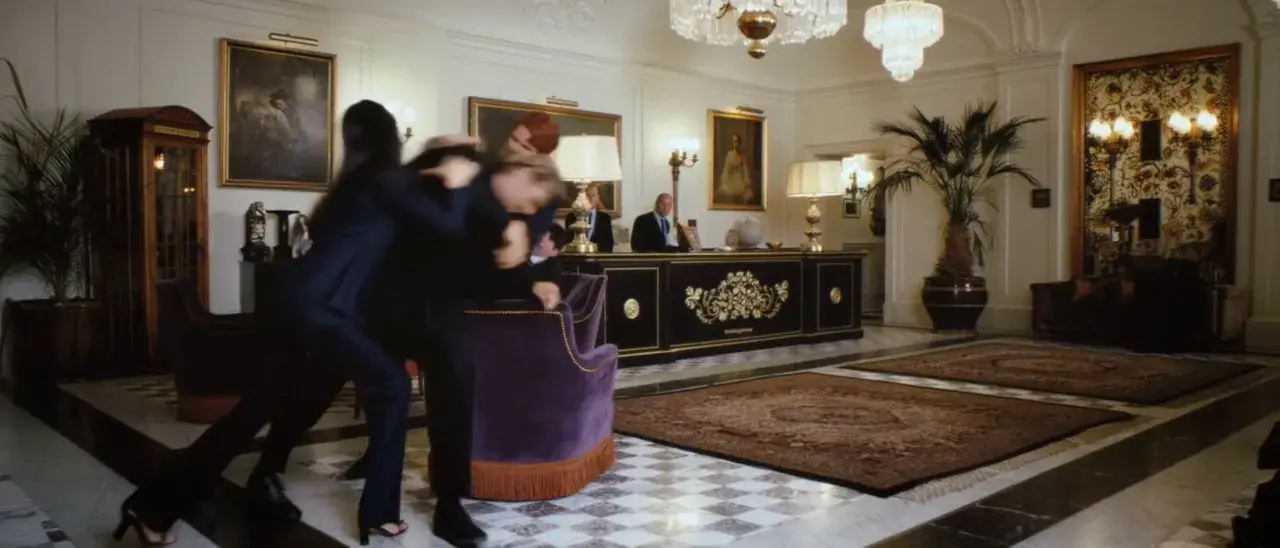
Ultrawide lobby
Prompt
Ultrawide hotel lobby video where two people struggle beside a purple chair.
Key Features of Kling 4.0
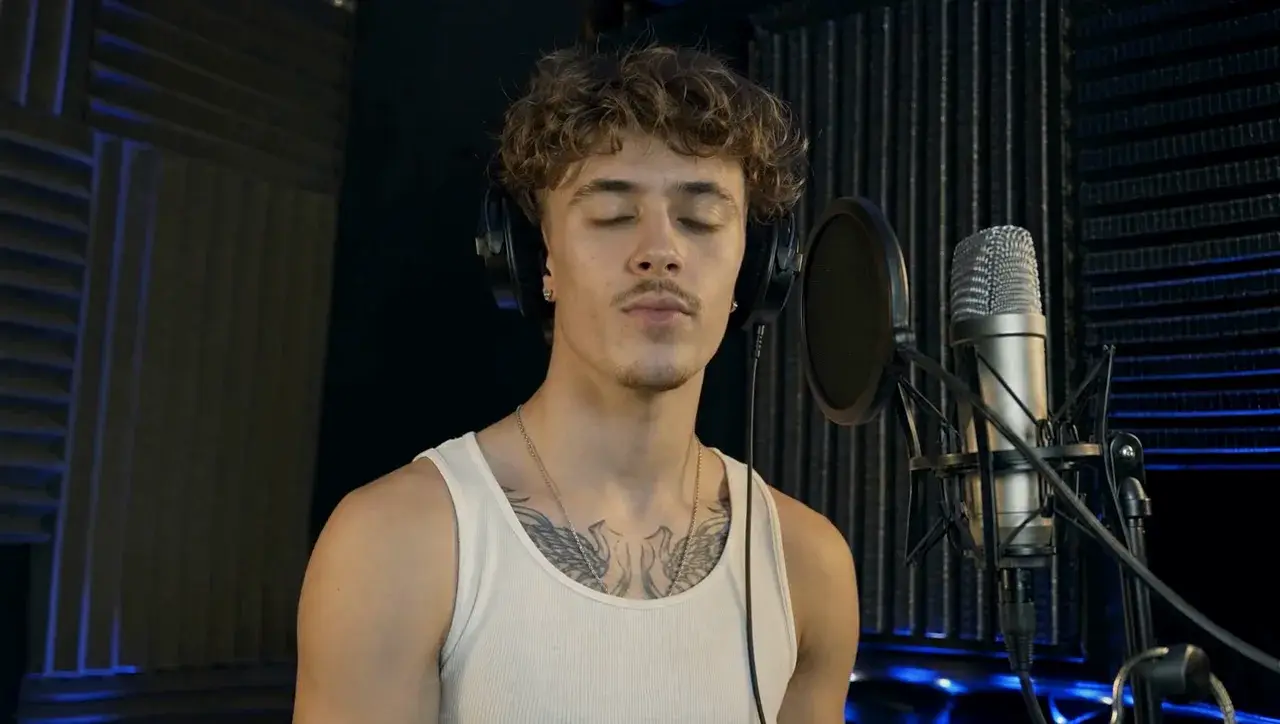
Lip sync and stereo
Native stereo stays on. In this studio take, the singer’s mouth follows the vocal for the full 30 seconds.
How to Use Kling 4.0
1. Start from text, one photo, or references
Use text for a new scene, image to video for one owned start photo and an optional last frame, or reference to video for up to 10 photos and 5 videos. Prefill a Key Feature or Example if you want. Nothing runs until you generate.
2. Set length, resolution, and ratio
Choose every whole second from 3 to 30, and 720p or 1080p. Text uses 16:9, 9:16, 1:1, or 21:9. Image to video follows the photo. Reference to video can use auto, 16:9, 9:16, 1:1, or 21:9. Tag files with @Image1 and @Video1. Native stereo stays on.
3. Generate, review, then iterate
Confirm the credit estimate, then generate. Review identity, motion, and sound before you publish or change the prompt.
Kling 4.0 Pricing
Compare Kling 4.0How Kling 4.0 compares to other models
Kling 4.0
This model3–30s video at 720p or 1080p, with a last frame or up to 10 photos and 5 videos
3–30s33–593 credits
5/10/15s cinematic shots from text or an owned frame
5–15s39–385 credits
4–30s one-takes, packs up to 50 files, and clay-render blocking
4–30s38–1320 credits
Kling 4.0 FAQs
What can I generate with Kling 4.0 on MixVio?
Text to video, image to video, or reference to video. Text uses 16:9, 9:16, 1:1, or 21:9. Image to video takes one start photo and an optional last frame, and follows that photo. Reference to video takes up to 10 photos and 5 videos, 15 files total, and can use auto, 16:9, 9:16, 1:1, or 21:9. Duration is every whole second from 3 to 30. Output is 720p or 1080p. Native stereo audio stays on.
How many credits does Kling 4.0 use?
A 3-second 720p video is 33 credits. The default 5-second 1080p video is 83 credits. A 30-second 1080p video with no reference video is 494 credits. A 10-second 720p video with 10 seconds of reference video is 132 credits. The top of the table is 593 credits for 30 seconds at 1080p with 30 seconds of reference video. Photos do not change the quote. Reference-video seconds do. Confirm the reservation before you generate. Failed runs cost no credits.
Does Kling 4.0 on MixVio include 4K, HDR, or Flash?
No. This route is 720p and 1080p only. 4K, 10-bit HDR, Kling 4.0 Flash, and the two-minute extension are not on MixVio. Kling 3.0 still offers 4K on its own page.
Can I upload keyframes, elements, or a voice?
Image to video accepts one start photo and an optional last frame. Reference to video accepts up to 10 photos and 5 videos. A 10-keyframe editor, element library, voice reference, and video edit are not on this route. Tag reference files with @Image1 and @Video1.
Is Kling 4.0 available on the Free plan?
Yes, when the workspace balance covers the quote. Kling 4.0 is on the Free, Creator, and Pro plans. The generator shows the exact reservation before you generate. Failed runs cost no credits.
Start a Kling 4.0 video.
Private. Credits shown first.
Start from text, one photo, or a photo and video pack, then generate with Kling 4.0 selected.
Create with Kling 4.0 ↑