Nano Banana Pro AI Image Generator & Editor
Create product photos, readable packaging text, and labeled diagrams with Nano Banana Pro, or edit an owned photo in plain language. Pick 1K, 2K, or 4K and add up to eight references.
- Up to 8 photo refs
- 1K, 2K, or 4K
- Generate and edit
- Google · Nano Banana Pro docs ↗
Create with Nano Banana Pro
Made with Nano Banana Pro
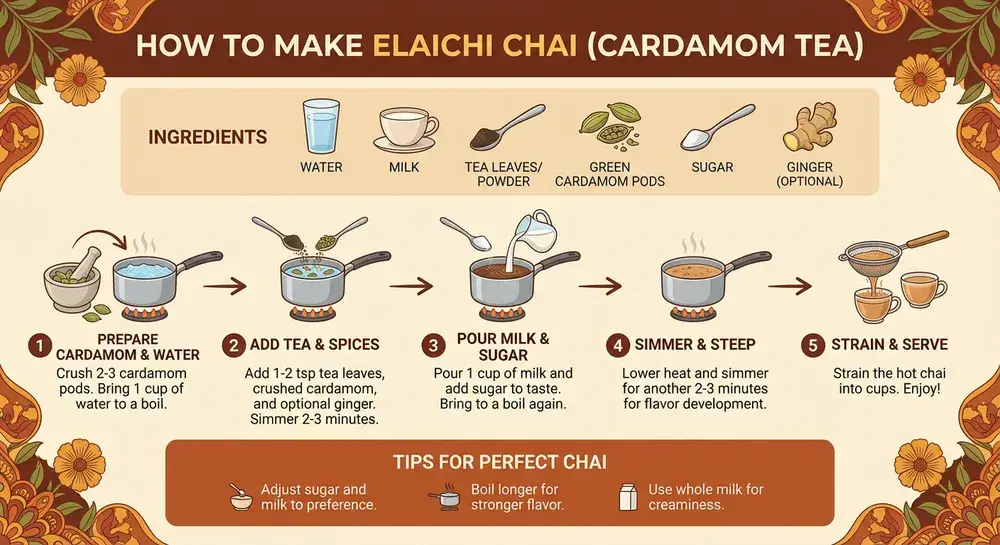
Elaichi chai recipe card
Prompt
Recipe infographic titled HOW TO MAKE ELAICHI CHAI. Show ingredients, then STEP 1 Crush the cardamom, STEP 2 Boil water and spices, STEP 3 Add tea and milk, STEP 4 Simmer and strain, STEP 5 Serve hot, plus a TIPS FOR PERFECT CHAI panel. Warm food-photography layout, 16:9.
Key Features of Nano Banana Pro
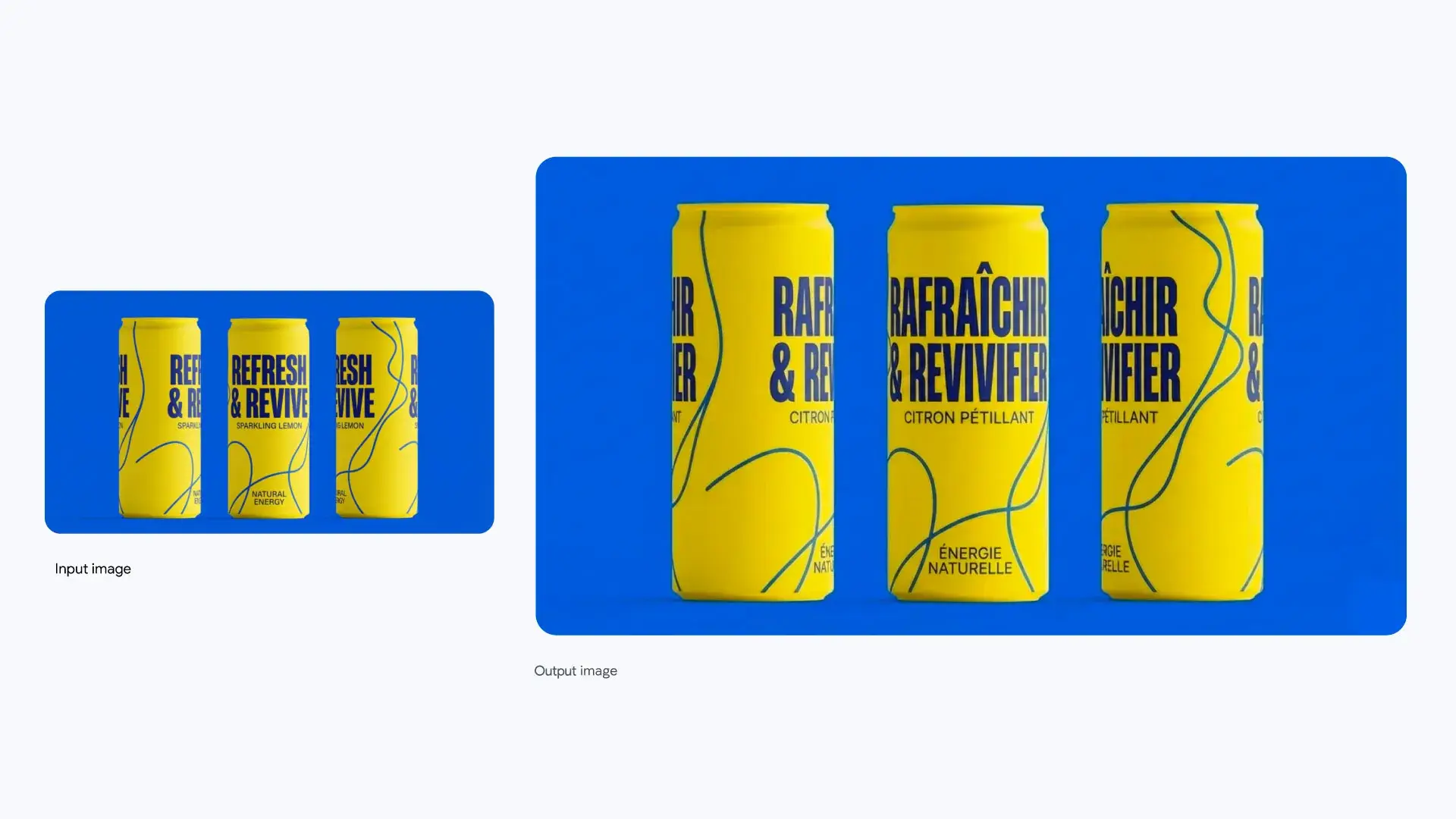
Localized packaging text
Put exact product words in the image, including another language, so labels stay readable on the can.
How to Use Nano Banana Pro
1. Start from text or photos
Open Nano Banana Pro with a text brief, or add up to eight owned photos (JPEG, PNG, or WebP, 30 MB each) for a reference-led image or the edit route. Prefill from a Key Feature or Example if you want—nothing runs until you generate.
2. Write the words, ratio, and resolution
Spell the exact labels, headlines, or diagram captions you need, and name what must stay if you are editing. Choose a ratio, including Auto, and 1K, 2K, or 4K.
3. Generate, review, then edit
Confirm the credit estimate and generate. Check readable text, product shape, and layout, then download—or continue on image-edit to change only what you ask.
Nano Banana Pro Pricing

Compare Nano Banana ProHow Nano Banana Pro compares to other models
Nano Banana Pro
This modelDetailed product photos, readable type, and labeled diagrams
1K–4K PNG4–5 credits per output
Fast balanced generation and editing with strong general knowledge
1K–4K PNG3–4 credits per output
Keep-and-change edits, reference fidelity, and Flare or Sunburst
1K–4K PNG1–8 credits per output
Nano Banana Pro FAQs
What is Nano Banana Pro?
Nano Banana Pro is Google’s Gemini 3 Pro Image model. On MixVio you generate a photo from text or edit an owned photo, with readable in-image text, 1K to 4K output, and up to eight references.
What is Nano Banana Pro best for?
Use it for product photos, packaging words, and labeled diagrams when the frame has to stay detailed. Prefer Nano Banana 2 for a faster balanced loop at a lower credit cost, or Nano Banana 2 Lite for a fixed 1K draft.
Can I edit an existing photo?
Yes. Upload one to eight owned photos (JPEG, PNG, or WebP, 30 MB each), then say what should change and what must stay. MixVio routes that request to Nano Banana Pro edit. Masks and region brushes are not controls on this page.
How many reference photos can I use?
Up to eight owned photos on both generate and edit. Google’s model can accept more in other products. MixVio follows the live route limit of eight. Generate can also start from text with no photo attached.
Which resolutions and aspect ratios does MixVio support?
1K, 2K, or 4K, one PNG. Ratios are Auto, 1:1, 2:3, 3:2, 3:4, 4:3, 4:5, 5:4, 9:16, 16:9, and 21:9. Auto follows the route default. MixVio does not offer a batch of four images or a JPEG picker on this family.
Create product images with Nano Banana Pro.
Private. Credits shown first.
Start from text or up to eight owned photos, pick 1K, 2K, or 4K, then generate with Nano Banana Pro selected.
Create with Nano Banana Pro ↑