GPT Image 2.6 AI Image Generator & Editor
Generate a PNG, GIF, or SVG, or edit up to 16 owned references with OpenAI GPT Image 2.6. GIF and SVG are text-only. Choose Flare or Sunburst, 1K–4K, and a ratio from square to 3:1.
- 1K–4K · 16 ratios
- Flare or Sunburst
- PNG, GIF, or SVG
- OpenAI · GPT Image 2.6 docs ↗
Create with GPT Image 2.6
Made with GPT Image 2.6
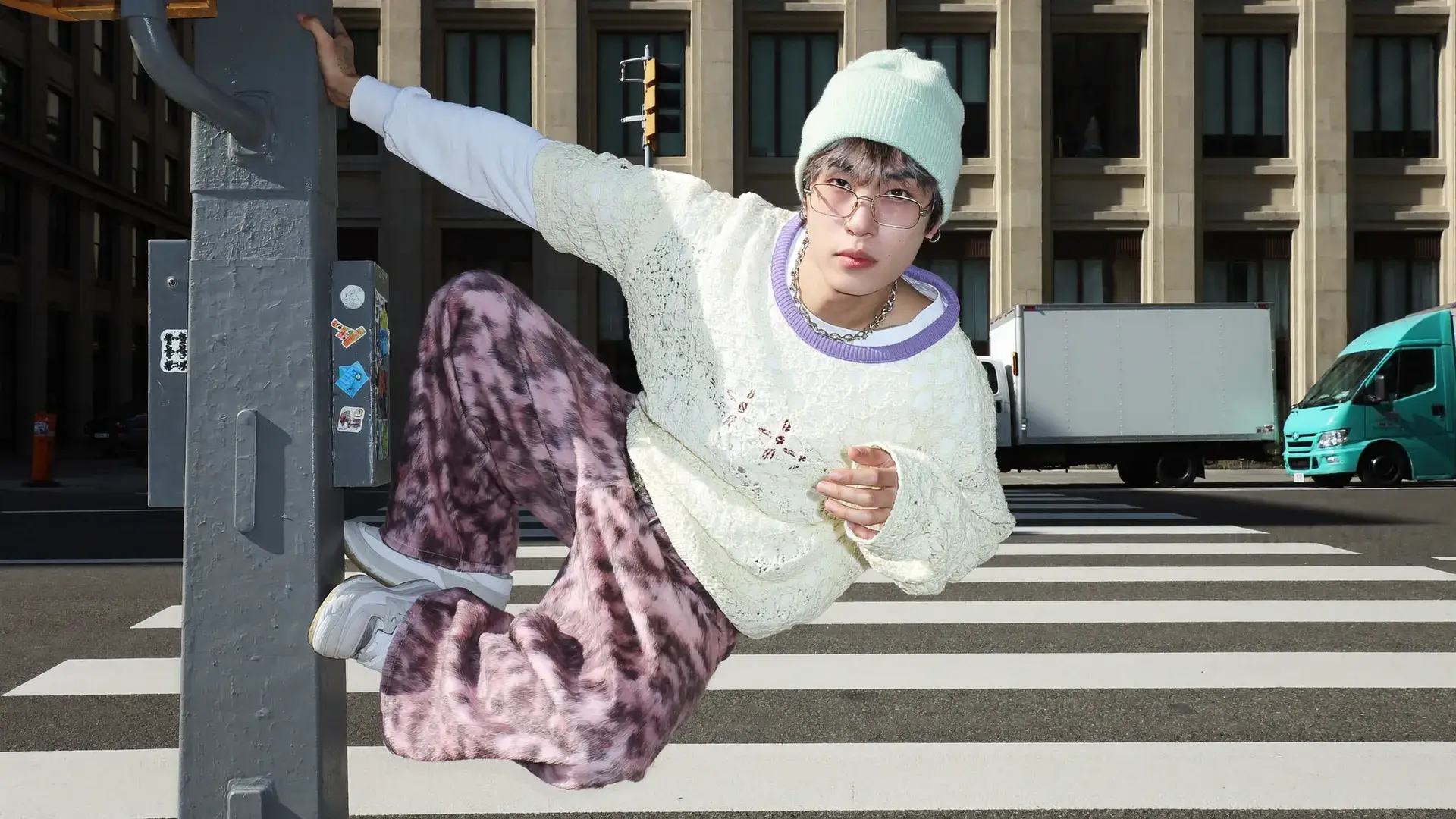
Crosswalk lean
Prompt
A person in a mint beanie, wire glasses, a cream lace sweater with a lilac collar, and pink patterned trousers leans off a stickered street pole over a zebra crossing. A white box truck and a teal truck sit behind them in hard daylight.
Key Features of GPT Image 2.6
Keep the person, change the clothes
Start from an owned reference and name the wardrobe change. Pose, pine branches, and daylight stay while the outfit changes.
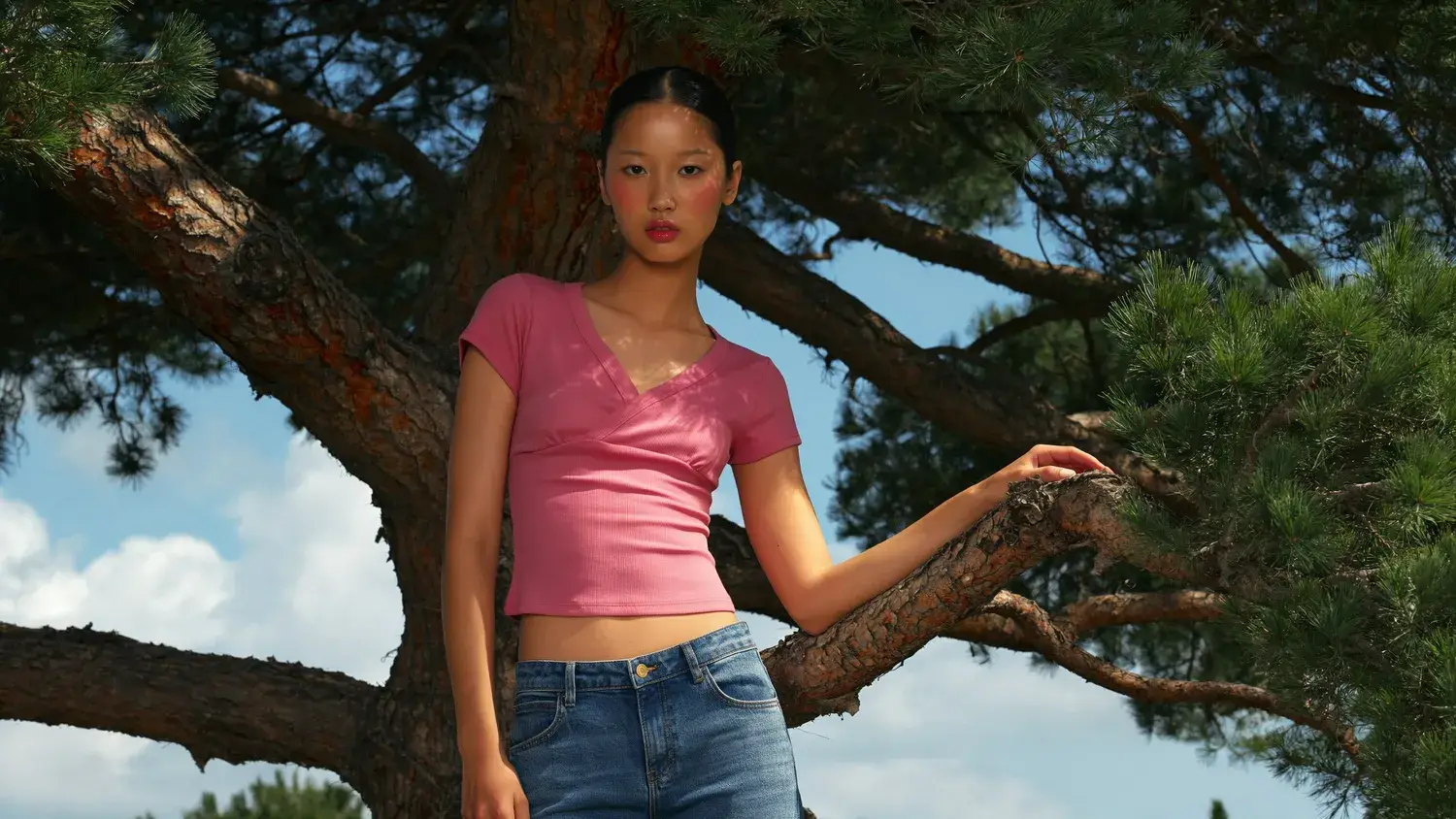 Before
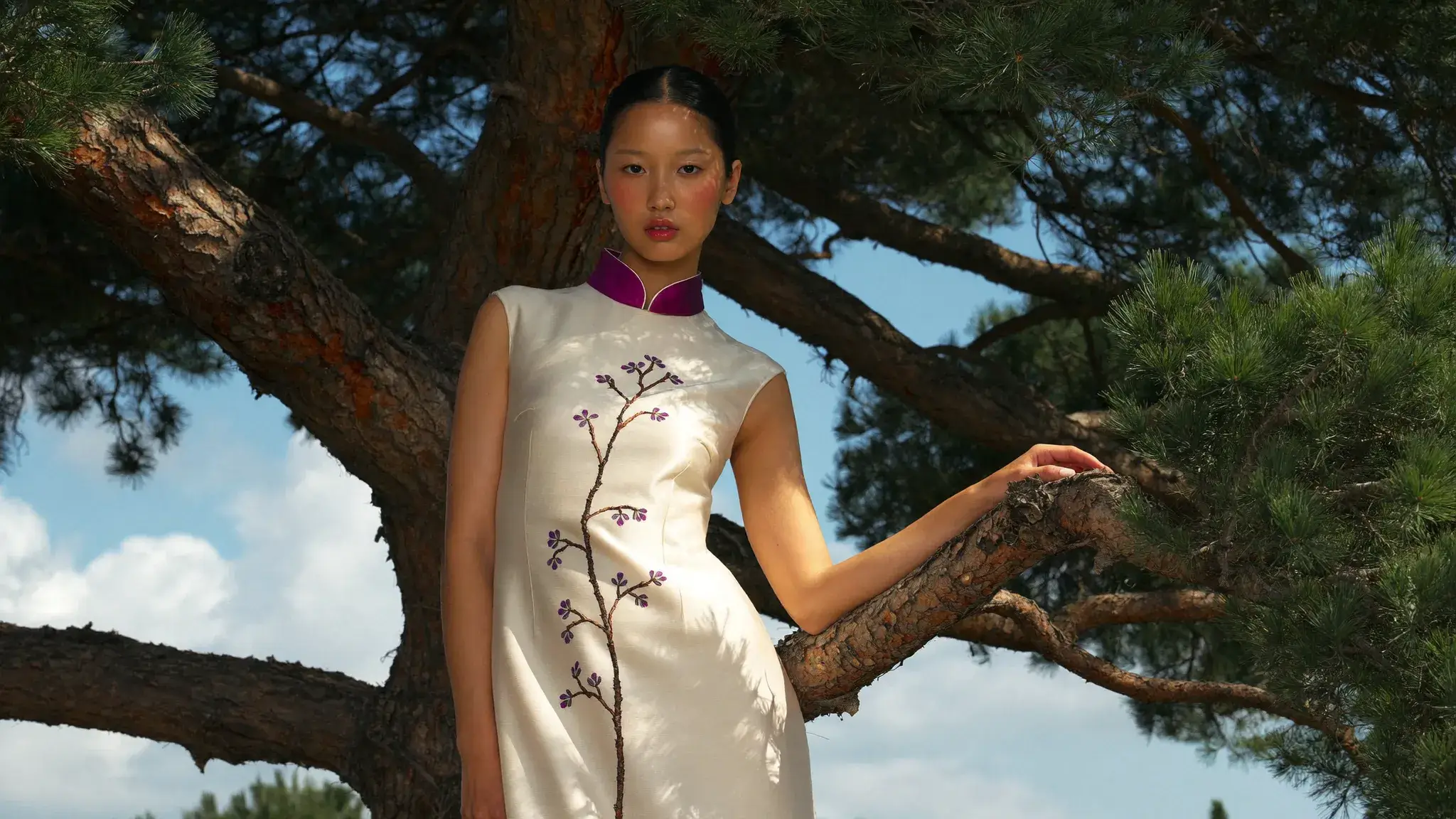 After
How to Use GPT Image 2.6
1. Start from text or references
Open GPT Image 2.6 with a text brief, or add 1 to 16 owned images on the edit route. Prefill from a Key Feature or Example if you want. Generate stays off on edit until a reference is attached.
2. Name the picture or the change
Write the scene, or the one edit plus what must stay: identity, pose, layout, and background. A later pass should name what already landed so the next change stays narrow.
3. Choose Flare or Sunburst, then generate
Select Flare or Sunburst, then PNG, GIF, or SVG. PNG and SVG keep the ratio and resolution. GIF uses Auto or 768×768, a frame count, and a frame duration. Confirm the credit estimate and generate.
GPT Image 2.6 Pricing

Compare GPT Image 2.6How GPT Image 2.6 compares to other models
GPT Image 2.6
This modelFlare or Sunburst, 1K–4K, and up to 16 references
PNG, GIF, or SVG2–19 credits
Keep-and-change edits, reference fidelity, and Flare or Sunburst
1K–4K PNG1–8 credits per output
Strict prompts, premium edits, high-resolution finals
1K–4K PNG2–5 credits per output
GPT Image 2.6 FAQs
What is GPT Image 2.6?
GPT Image 2.6 is OpenAI’s image model released on November 4, 2026, with two variants: Flare and Sunburst. On MixVio you can generate one PNG, GIF, or SVG, or edit with up to 16 reference images. Edit returns a PNG.
What is GPT Image 2.6 best for?
Use it for posters, product images, portraits, and edits that should keep a person or object recognizable while you change clothes, setting, or layout. Choose the ratio and resolution before you generate.
What is the difference between Flare and Sunburst?
Both use the same MixVio controls and the same credit table. Flare is the faster variant. Sunburst is the higher-fidelity pass. Switching the selector stays on this page. MixVio does not publish a latency benchmark for either variant.
Which ratios and resolutions can I use?
PNG and SVG use 1K, 2K, and 4K plus the ratio you pick. GIF does not: choose Auto, which is 512×512, or 768×768. PNG and SVG ratios include auto, square, 4:3, 3:2, 16:9, 2:1, 21:9, 3:1, and their portrait pairs. Desktop opens at PNG, 2K, and 16:9. A phone opens at PNG, 1K, and 9:16. On PNG and SVG, auto does not replace the resolution you picked.
How do GIF and SVG work?
Both are text-to-image only and return one file. GIF hides the ratio and the 1K–4K control. Choose Auto, which is 512×512, or 768×768. Auto allows 2 to 16 frames. 768×768 allows 2 to 12. Frame duration runs from 20 to 2000 ms in steps of 10, and the default is 200 ms. SVG keeps the ratio and 1K–4K controls. Edit stays PNG. Quality, markup, and a transparent-background switch are not on this page.
Create with GPT Image 2.6.
Private. Credits shown first.
Start from text, or edit up to 16 owned references. Pick Flare or Sunburst and PNG, GIF, or SVG, then generate with GPT Image 2.6 selected.
Create with GPT Image 2.6 ↑