Wan 3.0 AI Video Generator
Create a 2–30s clip in one take. Any input to video. Reference consistency. Native audio. Start from text, frames, a 10/5/5 pack, or a public document or webpage, then confirm 2–30 seconds and 480p–1080p before you generate.
- From 12 credits
- 2–30s · 480p–1080p
- Text, frames, pack, or page
- Alibaba · Wan 3.0 docs ↗
Create with Wan 3.0
Wan 3.0 Video Examples
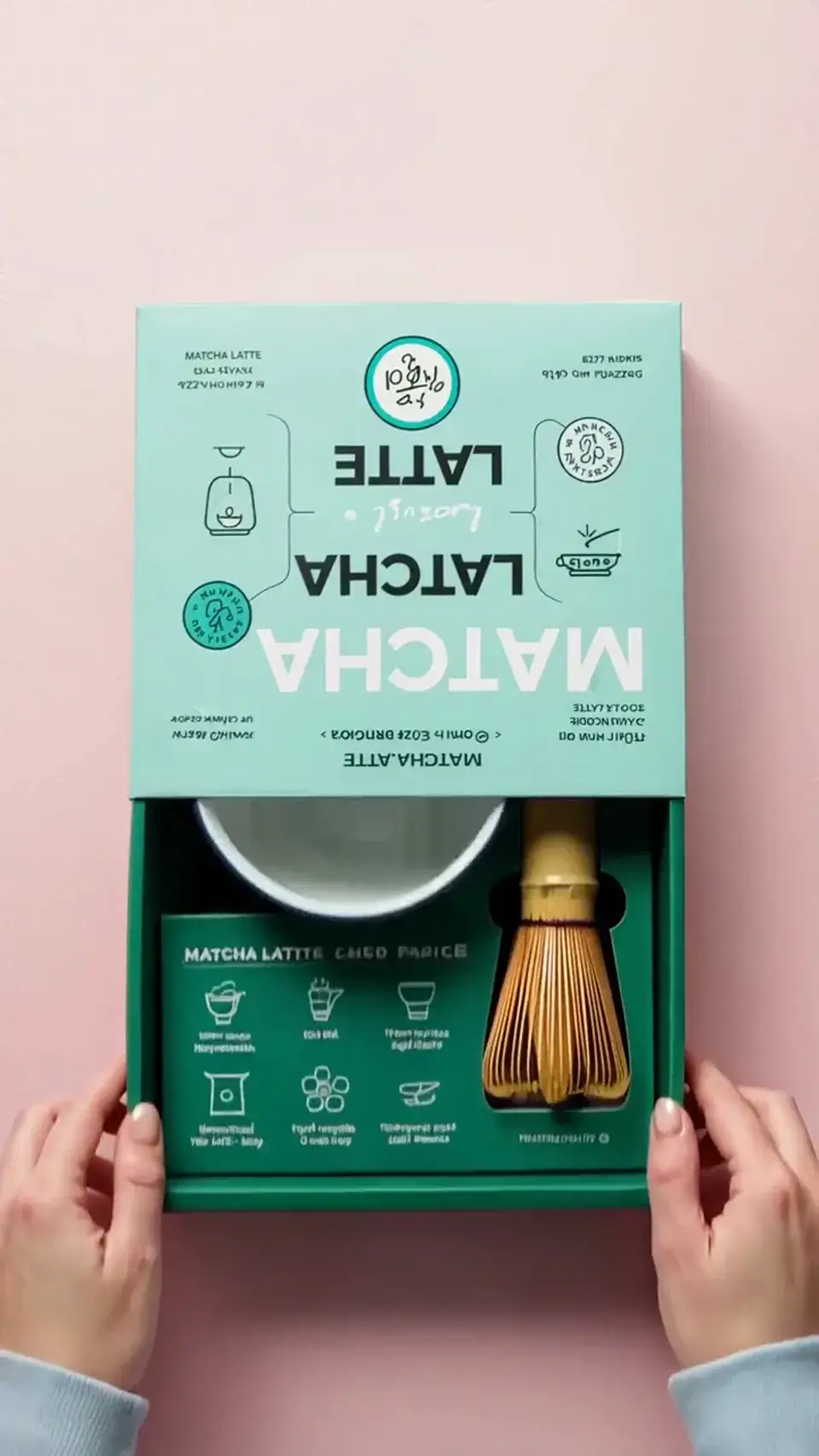
Matcha powder pour
Prompt
Two hands open a matcha latte box on a pale pink tabletop, slide out a dark-green tray with a bamboo whisk, then dip fingers into a frosted glass jar of matcha powder and lift a clump so it falls back in a fine stream. Vertical framing, overhead and slightly angled, soft diffused studio light. Powder clings to the fingertips. Quiet room tone.
Key Features of Wan 3.0
Native 30-second storytelling
Tell a complete beat in one take. Wan 3.0 holds opening, turn, and finish across a continuous 2–30 second clip—without stitching shorter takes.
How to Use Wan 3.0
1. Pick the simplest input that already holds the shot
Text for a new scene. A first frame plus an optional last frame to lock start and finish. A 10/5/5 pack when character, product, or place must stay assigned. Or one public document or webpage URL. First/last-frame cannot be combined with a pack or page. Skip extra files that do not have a job. Prefill from a demo if you want—nothing runs until you generate.
2. Write how the scene unfolds
Subject, action, setting, camera, then sound. For 2–30 seconds, cover an opening, a turn, and a finish—not a pile of unrelated events. Address Image 1, Video 1, or Audio 1 and say what each file provides. Name who speaks and the room when you need dialogue.
3. Generate, review, then iterate
Choose 2–30 seconds and 480p–1080p to match the brief, not the longest setting by default. Confirm the credit estimate, then generate. Watch the middle and the end—not just the first second—for identity, logos, dialogue, on-screen text, and lip sync. Change one or two things before you iterate.
Wan 3.0 Pricing
Compare Wan 3.0How Wan 3.0 compares to other models
Wan 3.0
This model2–30s one-takes, 10/5/5 reference packs, and document or webpage input
2–30s12–660 credits
4–30s one-takes, packs up to 50 files, and clay-render blocking
4–30s38–1320 credits
Multimodal reference, first/last frames, and instruction-led edits
4–15s12–128 credits
Wan 3.0 FAQs
What is Wan 3.0?
Wan 3.0 is Alibaba Tongyi Lab’s video model for one continuous take. On MixVio it turns text, a first frame with an optional last frame, a 10/5/5 reference pack, or one public document or webpage into a 2–30 second clip at 480p, 720p, or 1080p, with audio in the same pass. Alibaba Cloud Model Studio ↗
What is Wan 3.0 best for?
Use it for a 2–30 second one-take: a short story with an opening, turn, and finish; a product or character lock from owned references; an approved first and last frame; or a public document or webpage that already holds the brief. It is not the MixVio route for 4K output, in-place video edit, or official continuation.
What inputs does Wan 3.0 accept?
Use text for a new scene. Use a first frame plus an optional last frame when the start or finish is already approved. Use a 10/5/5 pack—up to 10 images (JPEG/PNG/WebP, ≤20 MB each), 5 videos (1–15s each, 15s combined), and 5 audio clips (1–15s each, 15s combined)—when identity, motion, or timing must stay assigned. Still images need 240–8,000 px on each side and an 8:1 or narrower crop; oversized photos are fitted automatically. Reference videos are 240–4,096 px per side and at least 16 FPS—do not apply the still size range to clips. You can also paste one public https document URL or one public webpage URL. First/last-frame mode cannot be combined with the pack, document, or webpage. Audio should not be the only reference.
How do I keep a face, product, or place consistent?
Give Wan the simplest input that already holds that identity—an approved first frame, an optional last frame, or a small pack. In the prompt, address Image 1, Video 1, or Audio 1 by job, and keep the same face, wardrobe, product, and setting. Do not rewrite the identity between drafts. Fine details can still drift on a long take or many scene changes—review faces, logos, and labels before publishing.
Can I extend or edit an existing Wan 3.0 video?
You can add an owned clip to the 10/5/5 pack (1–15s each, 15s combined), address Video 1, and describe what should happen next. MixVio still returns one new 2–30 second clip. Official video continuation, interval edit, and in-place timeline tools are not on the public MixVio Wan 3.0 routes.
Start a Wan 3.0 scene.
Private. Credits shown first.
Start from text, frames, a reference pack, or a public page, then generate with Wan 3.0 selected.
Create with Wan 3.0 ↑