FLUX 3 AI Video Generator
Create 5–20 second clips with native audio from a text brief or one owned still. Confirm 720p or 1080p and the credit estimate before you generate.
- From 60 credits
- 5–20s · 720p–1080p
- Text or image to video
- Black Forest Labs · FLUX 3 docs ↗
Create with FLUX 3
FLUX 3 Video Examples
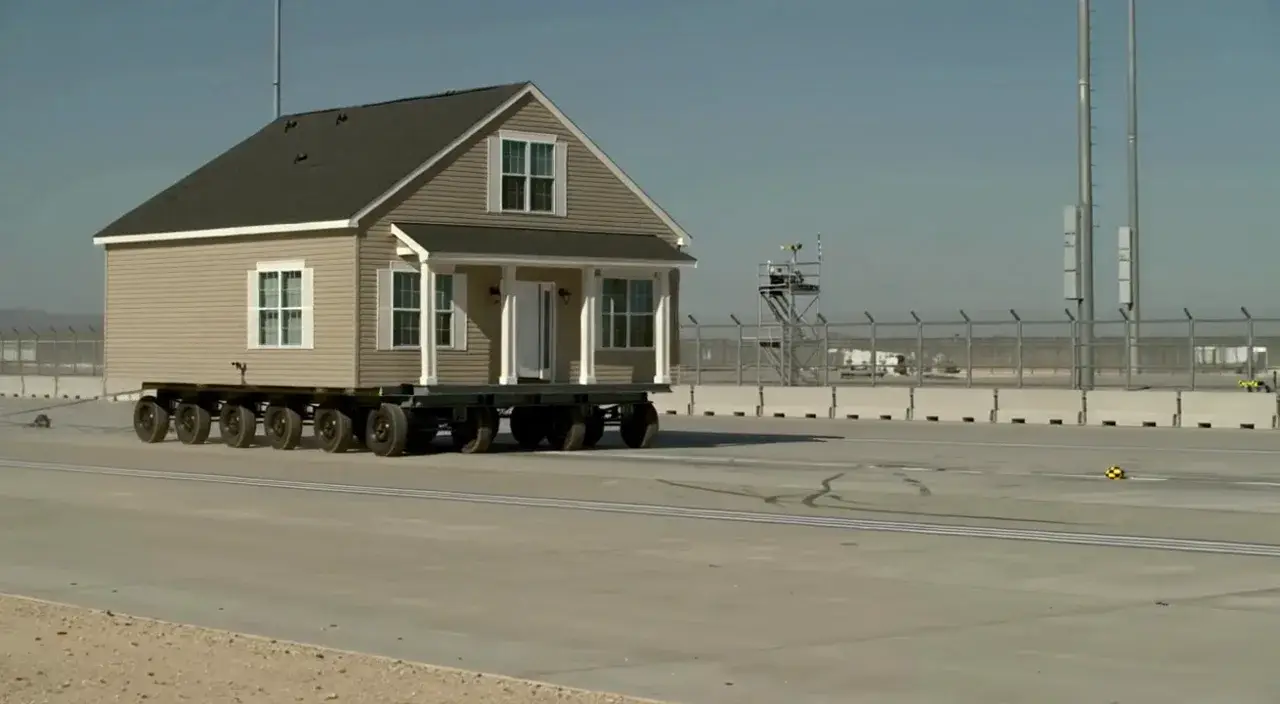
House on wheels
Prompt
Documentary wide shot of a complete single-story house on a multi-axle trailer rolling across a vast paved test track under a clear sky. Chain-link fence and utility poles in the background. Keep the house intact and the motion continuous.
Key Features of FLUX 3
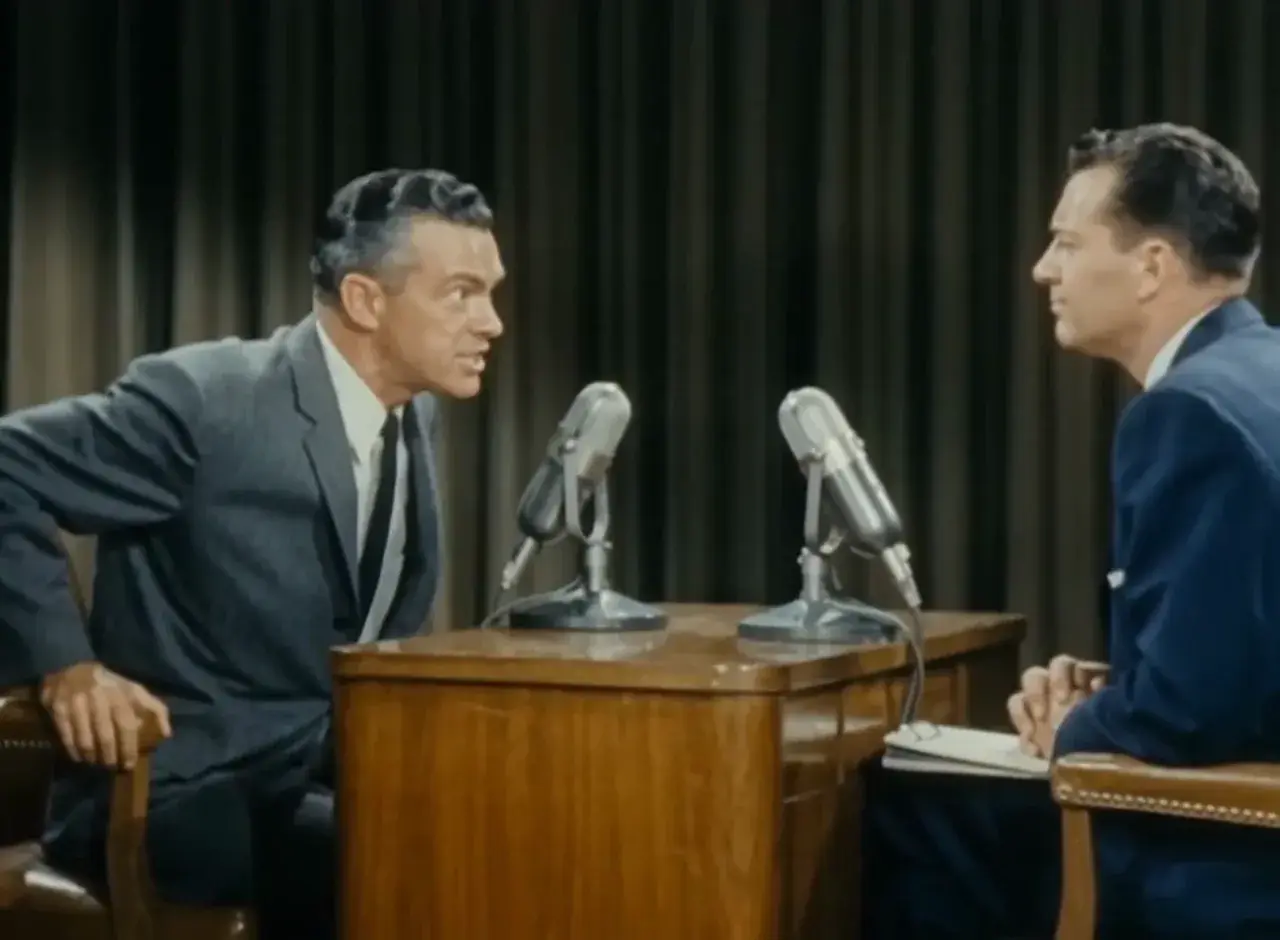
Native dialogue and mix
Speech, room tone, and effects generate with the picture. Name who speaks and the room so you can review lip sync and the mix before you publish.
How to Use FLUX 3
1. Start from text or a still
Use text-to-video for a new scene, or add one owned start frame for image-to-video. Prefill from a demo if you want—nothing runs until you generate.
2. Direct motion, camera, and sound
Write subject, action, setting, camera, and sound. Name who speaks and spell any on-screen words. For a longer take, cover setup, turn, and finish.
3. Generate, review, then iterate
Select 5–20 seconds and 720p or 1080p, confirm the credit estimate, then generate. Review identity, readable text, dialogue, and lip sync before publishing or iterating.
FLUX 3 Pricing
Compare FLUX 3How FLUX 3 compares to other models
FLUX 3
This model5–20s multi-shot clips with native audio and in-scene type
5–20s60–420 credits
4–30s one-takes, packs up to 50 files, and clay-render blocking
4–30s38–1320 credits
1–15s videos with native audio, a start photo, or up to 7 photo refs
1–15s6–264 credits
FLUX 3 FAQs
What is FLUX 3?
FLUX 3 is Black Forest Labs’ multimodal model. On MixVio the public family is FLUX 3 Video: one private 5–20 second clip per run from text or one owned still, with native audio at 720p or 1080p. FLUX 3 model page ↗
What can I generate with FLUX 3 on MixVio?
Use text-to-video for a new scene, or image-to-video with one owned PNG, JPEG, or WebP start frame (≤30 MB). MixVio does not publish a separate pixel-size gate for FLUX 3 stills. Each run returns one private clip with native audio.
Does FLUX 3 generate native audio?
Yes. Public FLUX 3 routes return video with native audio in the same pass, including dialogue, effects, and ambience when you describe them. Official BFL pricing includes audio at no extra charge. Review speech, mix, and lip sync before publishing. FLUX 3 FAQ ↗
Can FLUX 3 do speech and on-screen text?
Yes—describe who speaks and spell any on-screen words in the prompt. Public routes return native audio in the same pass. Review dialogue, lip sync, and readable type before you publish; MixVio does not guarantee perfect spelling or sync. FLUX 3 model page ↗
Which durations, resolutions, and ratios are supported?
Each run is 5–20 whole seconds at 720p or 1080p. Text-to-video and image-to-video both support Auto, 21:9, 16:9, 4:3, 1:1, 3:4, and 9:16. MixVio does not publish 4K, auto duration, or a 2:1 ratio on this family.
Start a FLUX 3 clip.
Private. Credits shown first.
Start from text or one owned still, then generate with FLUX 3 selected.
Create with FLUX 3 ↑